POS System vs Manual Bookkeeping: Why Every Shop in Nigeria Must Switch in 2026
SwiftPOS Team
Published May 07, 2026
Picture this: It's a Friday evening in your provision store in Ojuelegba, Lagos. The shop is packed, your cashier is scribbling figures into a receipt booklet, and somewhere between customer number 12 and customer number 20, ₦3,400 goes missing — and nobody can explain how. You count the cash at close of business, compare it to the jotter, and the numbers just don't add up. Again.
This is the daily reality for hundreds of thousands of Nigerian shop owners still relying on manual bookkeeping. And it is costing them far more than they realise. Understanding why a POS system is better than manual records for shops in Nigeria is no longer a luxury conversation — it is a survival conversation. By the time you finish reading this guide, you will know exactly where manual records are bleeding your business dry, what a modern POS system actually does for you, and how to make the switch without stress.
Ready to see the numbers? Start your free SwiftPOS trial →
The Hidden Cost of Manual Bookkeeping for Nigerian Shops
Manual bookkeeping feels free. You buy a ledger for ₦500, a pen for ₦100, and you're set — or so it seems. But the real costs are buried in places most shop owners never look.
1. Shrinkage You Cannot See
In a typical provision store selling 150–300 transactions per day, a cashier handling both sales and change has roughly a 6–9% window for undetected error or theft — according to a 2024 retail audit study covering Lagos and Abuja markets. On a shop turning over ₦80,000 daily, that is between ₦4,800 and ₦7,200 walking out the door every single day. Over a month, that is up to ₦216,000 in unexplained losses — more than what many shop owners pay in rent.
With manual records, you cannot prove what happened. There is no timestamp, no product log, no user trail. The money is simply gone.
2. Wrong Prices, Wrong Margins
Let's say you buy a carton of Peak Milk at ₦18,500 and sell each tin at ₦950. That's 20 tins — your expected revenue is ₦19,000, leaving you ₦500 gross profit. But between price fluctuations, careless underprice by staff, and customer haggling that goes unrecorded, many shop owners are consistently selling below their own cost price without knowing it.
Manual books cannot flag this in real time. A POS system calculates your cost price, suggested sell price, and profit margin automatically — and alerts you if a sale is made below a threshold you set.
3. Stock That Vanishes Without a Trace
A 2023 SME survey by Lagos Chamber of Commerce found that retailers using only manual records reported an average of 11.4% in untracked stock loss annually, compared to 3.2% for those using digital inventory tools. For a shop carrying ₦500,000 in stock, that difference is ₦41,000 extra profit per year — just from knowing where your stock is.
When you count stock manually once a week or once a month, anything can happen in between. Items can be taken, given out, expired, or simply miscounted. And you won't know until it's too late.
4. Time Drain on the Owner
Nigerian shop owners who do their own books manually spend an average of 45–90 minutes daily on bookkeeping tasks: tallying receipts, reconciling cash, updating stock counts, and preparing a daily summary. That is up to 10.5 hours per week — time that could be spent serving more customers, building supplier relationships, or simply resting.
A POS system generates your daily sales report, stock movement summary, and profit breakdown automatically, the moment you close your last transaction.
Why a POS System Is Better Than Manual Records for Shops in Nigeria: A Section-by-Section Breakdown
Now let us get specific. Here is a direct, feature-by-feature comparison of what manual records give you versus what a modern POS system like SwiftPOS delivers.
Sales Recording
Manual: Cashier writes product name, quantity, and price by hand. Errors happen. Items are skipped during rush hours. Receipts are illegible or lost.
POS System: Every sale is captured digitally the moment the transaction happens — product name, quantity, selling price, discount (if any), cashier's name, time, and date. Nothing is missed. Nothing can be altered after the fact without a trace.
Inventory Management
Manual: You count your stock by walking around the shop with a clipboard. This takes hours, is prone to human error, and only gives you a snapshot at one point in time. By the next morning, the count is already outdated.
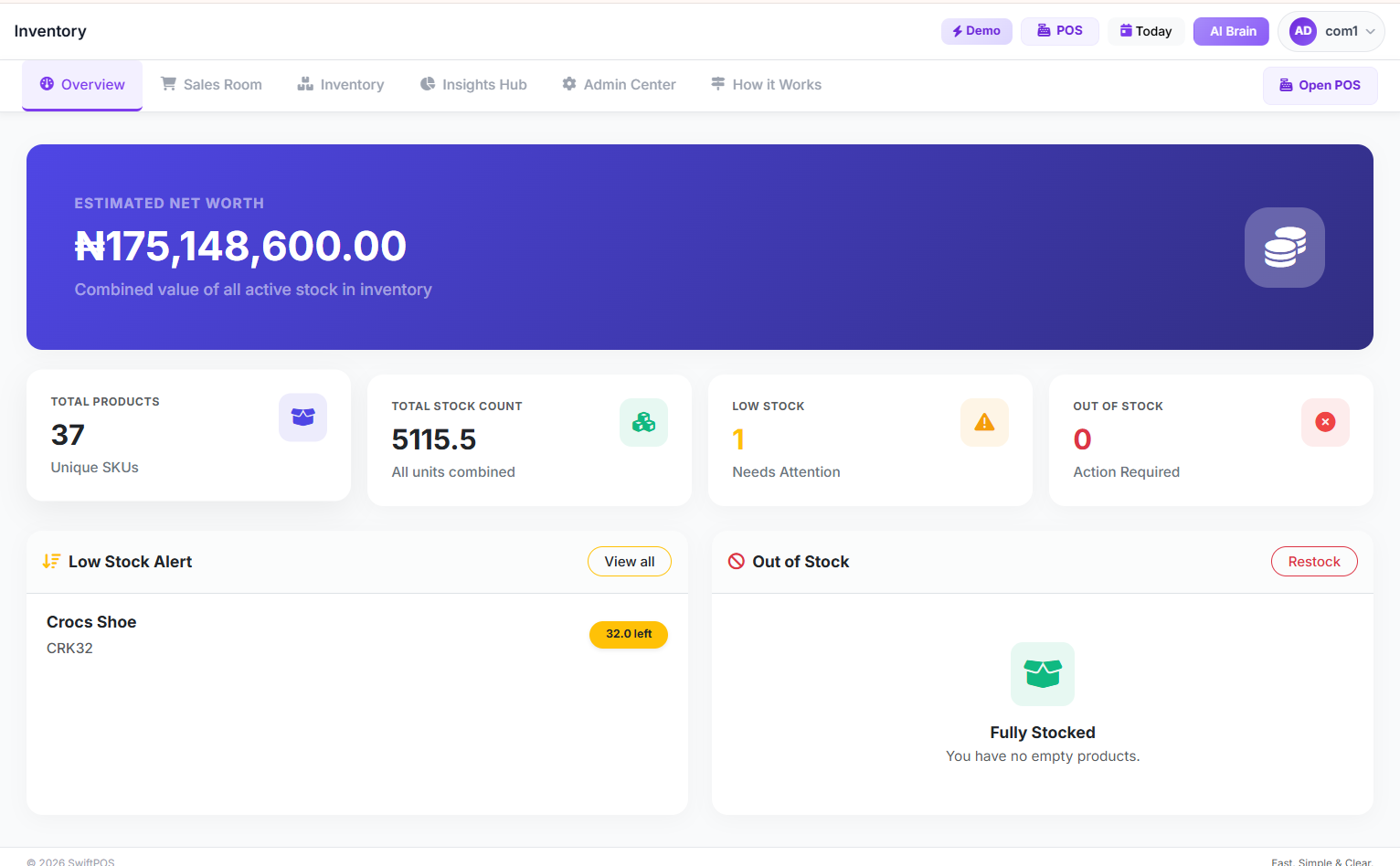
POS System: Stock levels update automatically with every sale. SwiftPOS sends you a low-stock alert on your phone when any item falls below the quantity you've set — so you restock before you run out, not after a customer is already frustrated.
Staff Accountability
Manual: You trust your staff because you have to. There is no way to know which staff member made which sale, gave which discount, or processed which refund. When money is missing, everyone is suspect and nobody is provably guilty.
POS System: Every transaction is tied to a staff login. You can see exactly how much each cashier sold, how many discounts they gave, and when they opened or closed their session. This does not just catch dishonest staff — it also protects your honest ones.
Financial Reports
Manual: At the end of the month, you sit down with a calculator, a jotter, and receipts scattered across your desk, trying to figure out whether you made a profit or a loss. It takes hours. And if one figure in the middle is wrong, your entire month's summary is wrong.
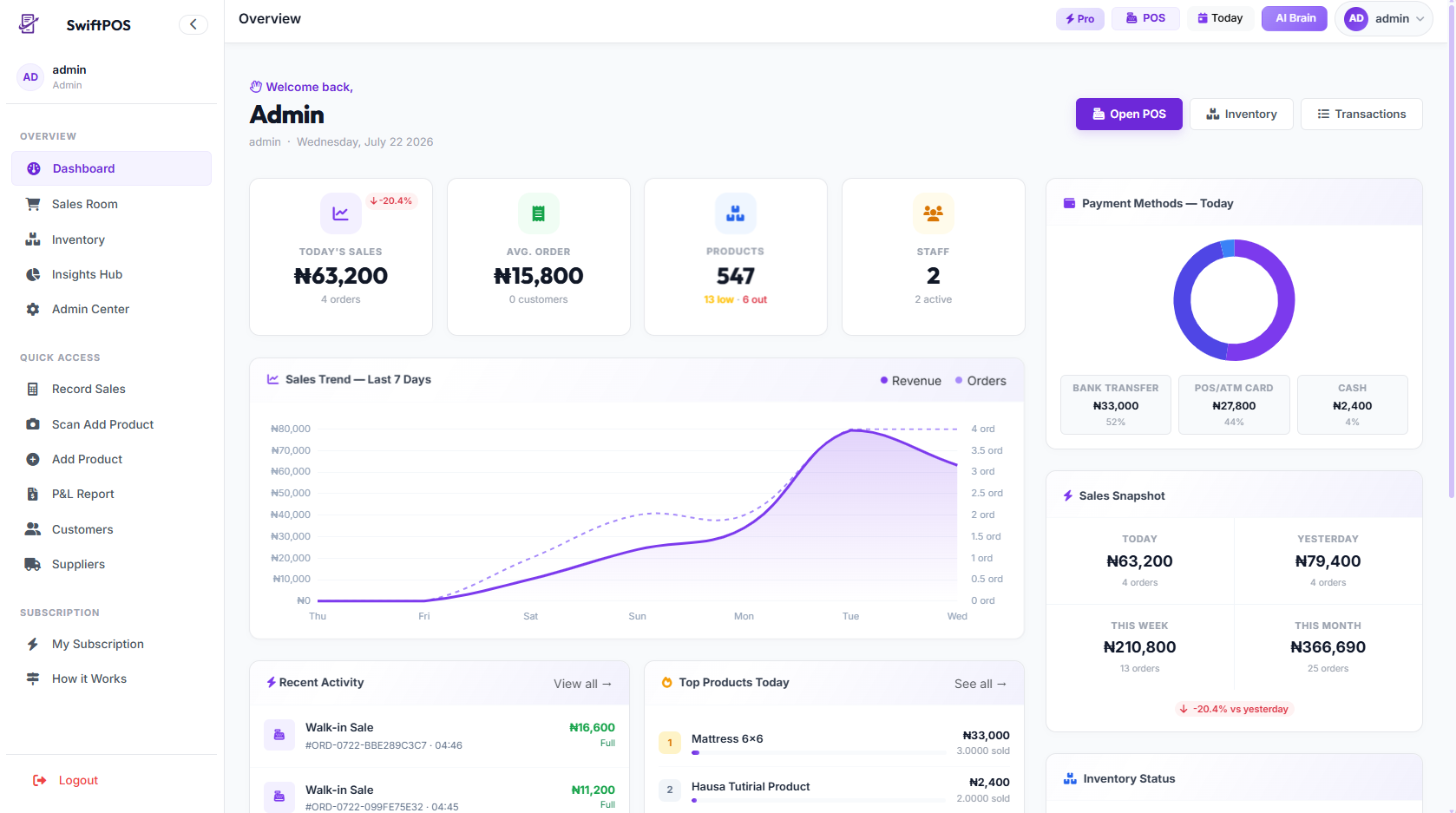
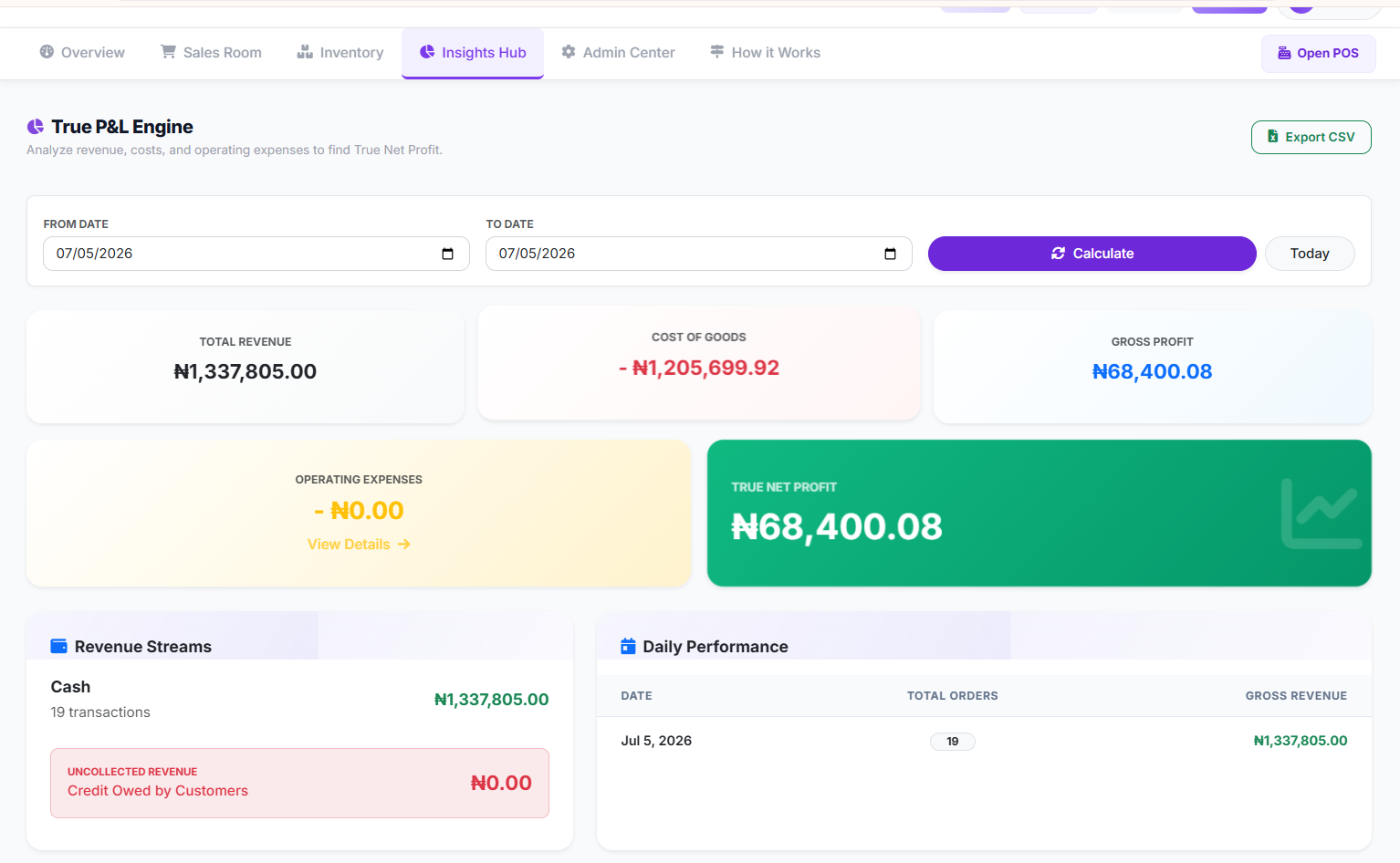
POS System: SwiftPOS generates a full Profit & Loss report, daily sales chart, top-selling products list, and payment method breakdown in seconds — accessible from your phone even when you're not physically in the shop.
Customer Experience
Manual: Long queues form as cashiers write receipts by hand. Customers lose patience. Some walk away.
POS System: Transactions are completed in seconds. Digital receipts can be sent via WhatsApp. Return customers can be identified, and loyalty programmes can be managed automatically.
How SwiftPOS Solves POS vs Manual Bookkeeping Challenges for Nigerian Shops
SwiftPOS was built specifically for the Nigerian retail environment — meaning it was designed around the realities of NEPA blackouts, unstable internet, multi-currency transactions, and the need to manage both a physical shop and a WhatsApp business simultaneously.
Here is how SwiftPOS addresses each of the major pain points directly:
- Offline Mode: SwiftPOS works even without internet. All sales made offline sync automatically the moment your connection is restored. No generator, no network — no problem.
- Real-Time Profit Tracking: As you sell, SwiftPOS calculates your margin in real time. You know at every moment whether you are making or losing money — not just at the end of the month.
- Multi-Staff Access with Role Controls: You can give your cashier a login that only allows them to make sales. Only you, the owner, can access the reports, adjust prices, or process refunds. This eliminates a massive category of staff fraud.
- Automatic Reorder Alerts: Set your minimum stock level per product. SwiftPOS pings you when anything is running low — so you're never caught without the products your customers want.
- Branch Management: Running more than one shop? SwiftPOS lets you see all your branches from one dashboard, compare performance, and transfer stock between locations — all from your phone.
- Full Financial History: Every transaction made from day one is stored, searchable, and exportable. Whether you need records for a bank loan, a supplier audit, or your own planning, your data is always there.
Explore all features: swiftpos.ng/features
Try SwiftPOS free for 3 days →
Step-by-Step: How to Move From Manual Records to a POS System Without Losing Your Mind
The idea of switching from a system you've used for years to a digital one sounds overwhelming. It doesn't have to be. Here's how to make the transition smoothly:
- Audit your current stock. Before you move to a digital system, take a physical count of everything in your shop. This becomes your opening stock in SwiftPOS. Set aside one afternoon for this — you only need to do it once.
- Enter your products and prices. SwiftPOS allows you to import products via an Excel template if you have many items — no need to type 300 products one by one. Your team can help with this setup.
- Set your cost prices. This is the step most shop owners skip when they first use a POS — and it's the most valuable. Once your cost prices are in, SwiftPOS can calculate your profit on every single sale automatically.
- Train your cashier (it takes about 30 minutes). SwiftPOS was designed to be as simple as possible. Your staff does not need to be tech-savvy. The interface works like a basic touchscreen — find the product, tap, collect payment, done.
- Start selling and review your first daily report. At close of business on Day 1, open your SwiftPOS report. You'll immediately see your total sales, total profit, top products sold, and any discrepancies with your physical cash. Most new users catch something in the first week that their manual system had been hiding for months.
Pro Tips for Nigerian Shop Owners Making the Switch
Here are three advanced moves that experienced SwiftPOS users swear by:
- Use the end-of-day cash count feature religiously. Every evening, physically count your cash and enter the figure in SwiftPOS. The system will tell you immediately if it matches expected sales. A ₦200 discrepancy caught daily is far easier to investigate than a ₦15,000 discrepancy at the end of the month.
- Review your bottom 10 products monthly. SwiftPOS shows you which products are barely selling. These items are tying up your capital. Move them out with a discount sale and replace them with faster-moving stock. This alone can increase your working capital by 15–20%.
- Set category-level margin rules. Some product categories — like soft drinks and bread — have slim margins. Others, like cosmetics and household items, have healthier margins. SwiftPOS lets you set minimum selling prices per category so your staff can never accidentally undersell a product.
Frequently Asked Questions
Is a POS system really better than manual records for a small shop in Nigeria?
Yes — and especially for small shops. Small shops have fewer resources to absorb losses from theft, pricing errors, or stock shrinkage. A POS system like SwiftPOS costs as little as ₦8,500/month but can prevent losses that are 10–20x that amount. For a small shop, the ROI of switching is often visible within the first two weeks.
What happens to my records if there is no light or no internet?
SwiftPOS is built for Nigerian realities. It operates fully in offline mode — all sales are saved locally on the device and sync to the cloud automatically when your internet is restored. You will never lose a transaction because of PHCN.
Does SwiftPOS help with both POS functions and bookkeeping, or just one?
Both. SwiftPOS serves as your point of sale at the counter and your complete bookkeeping system in the back office. You get sales recording, inventory tracking, profit reporting, staff management, and financial history — all in one platform. You do not need a separate accounting tool.
Can I manage POS and bookkeeping for multiple shop branches with SwiftPOS?
Yes. SwiftPOS supports multi-branch management. You can view sales, stock, and staff activity across all your locations from a single dashboard on your phone. You can also transfer stock between branches and compare performance side by side.
Is SwiftPOS affordable for a small Nigerian shop owner?
SwiftPOS starts at ₦8,500 per month for single-branch shops, with a free 3-day trial that requires no card details. There are no hidden fees, no installation costs, and no need to buy special hardware — it works on the Android phone or tablet you already have. Visit swiftpos.ng/pricing for current plan details.
How long does it take to set up SwiftPOS?
Most shop owners are fully set up and making their first sale on SwiftPOS within 2–4 hours. Product import, staff setup, and cashier training can all happen on the same day. The SwiftPOS support team is available via WhatsApp to guide you through every step.
Conclusion: Stop Guessing, Start Knowing
The debate between POS system and manual bookkeeping in Nigeria was reasonable ten years ago. In 2026, it is over. Manual records cannot compete with the accuracy, speed, security, and insight that a modern POS system provides — and the cost of staying on manual is no longer just inconvenience. It is real money leaving your business every day.
The good news: switching has never been easier or more affordable. SwiftPOS was built from the ground up for Nigerian shops — for your internet realities, your staffing challenges, your stock complexity, and your growth ambitions. Whether you run a provision store in Kano, a cosmetics shop in Onitsha, or a supermarket in Abuja, SwiftPOS gives you complete visibility and control over your business.
Read also: How to Manage Inventory for a Supermarket in Nigeria | How to Stop Staff Theft in Your Retail Shop
Ready to Stop Losing Money to Manual Records?
Join thousands of Nigerian shop owners using SwiftPOS to track every naira, catch every gap, and grow with confidence. No card needed. Cancel anytime.
Start Free 3-Day Trial →Works on any Android phone · Offline mode · WhatsApp support

How to Know If Your Business Is Actually Profitable: A…
Oct 08, 2026
How to Stop Cash Leakage in Your Business: A Comprehen…
Oct 04, 2026
How to Start a Food Business with Low Capital: A Step-…
Oct 01, 2026