Daily Sales Tracking: POS System Solutions for Businesses
SwiftPOS Team
Published July 18, 2026
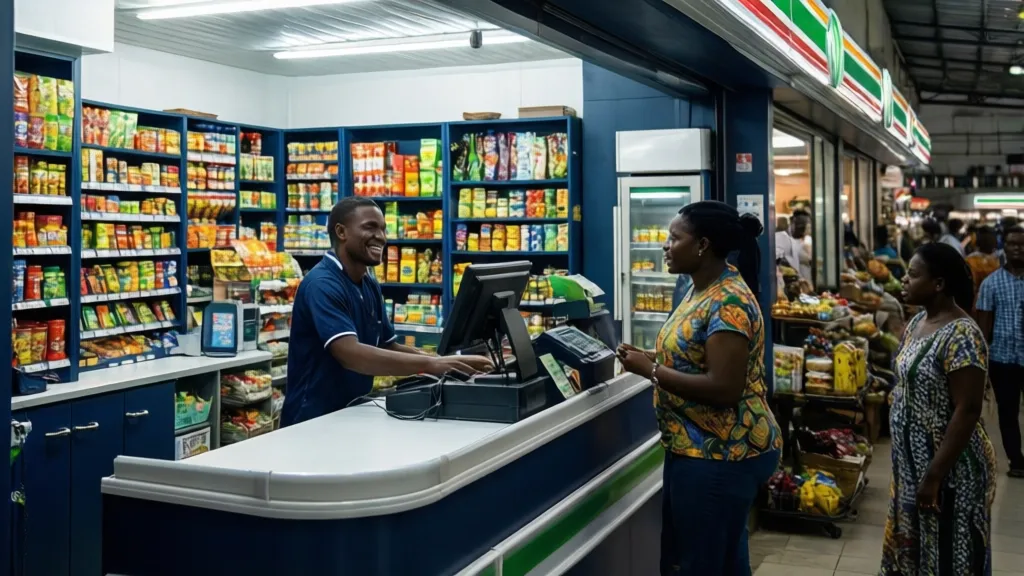
For many Nigerian retailers, the end of each business day still involves manually tallying receipts, scribbling figures into ledgers, or wrestling with complex Excel sheets. This time-consuming process not only delays crucial insights but also leaves significant room for errors, directly impacting profitability and growth.
Why This Matters in 2026
In 2026, the retail landscape in Nigeria is more competitive than ever. Businesses are facing increasing pressure to optimize operations, understand customer behavior, and make data-driven decisions. Relying on manual sales tracking methods is no longer sustainable. According to a 2025 report by the National Bureau of Statistics (NBS), small and medium enterprises (SMEs) contribute over 48% of Nigeria's GDP, yet a significant portion still lags in digital adoption, particularly in sales management. This gap can lead to revenue leakage, inaccurate inventory counts, and missed sales opportunities. Modern sales tracking software, specifically Point-of-Sale (POS) systems, are no longer a luxury but a necessity for survival and growth. They provide real-time data that empowers businesses to react quickly to market changes, manage stock efficiently, and enhance the customer experience. Understanding the full range of benefits a robust POS system offers is crucial for any forward-thinking retailer.
What You Need Before You Start
Before diving into efficient daily sales tracking with a POS system, ensure you have the following in place:
- Clear Business Objectives: Define what success looks like for your sales tracking. Are you aiming to reduce stockouts, identify best-selling products, or improve cash flow?
- Reliable Internet Connection: Most modern POS systems are cloud-based, requiring a stable internet connection for seamless operations and data synchronization.
- Basic Hardware: While many POS systems are web-based and accessible on any device, dedicated hardware like a compatible tablet or computer, a cash drawer, and a receipt printer will streamline operations. A barcode scanner is highly recommended for inventory accuracy and faster checkouts.
- Initial Product Data: Have a comprehensive list of all your products, including SKUs, prices, current stock levels, and cost prices. This foundational data is critical for setting up your system accurately.
- Staff Buy-in: Prepare your team for the transition. Explain the benefits of the new system and provide assurance for training and support to ensure smooth adoption.
Step-by-Step: Efficient Daily Sales Tracking with a POS System
Implementing a POS system for daily sales tracking might seem daunting, but by breaking it down into manageable steps, you can transform your retail operations.
Step 1: Choose Your POS System and Plan
The first critical step is selecting a POS system that aligns with your business needs and budget. Consider factors like ease of use, scalability, specific features relevant to your industry (e.g., product variants for boutiques, expiry date tracking for pharmacies), and local support. Evaluate different providers and their pricing plans. Look for systems designed for the Nigerian market, offering local payment integrations and currency support (Naira).
Once chosen, sign up for your selected plan. Most providers offer a trial period, allowing you to explore the system's capabilities before committing.
Step 2: Set Up Your Product Inventory
Accurate inventory is the backbone of effective sales tracking. This step involves populating your POS system with all your product details.
- Add Products Manually: For a smaller inventory, you can add products one by one, entering details such as product name, SKU, price (selling and cost), category, current stock quantity, and supplier.
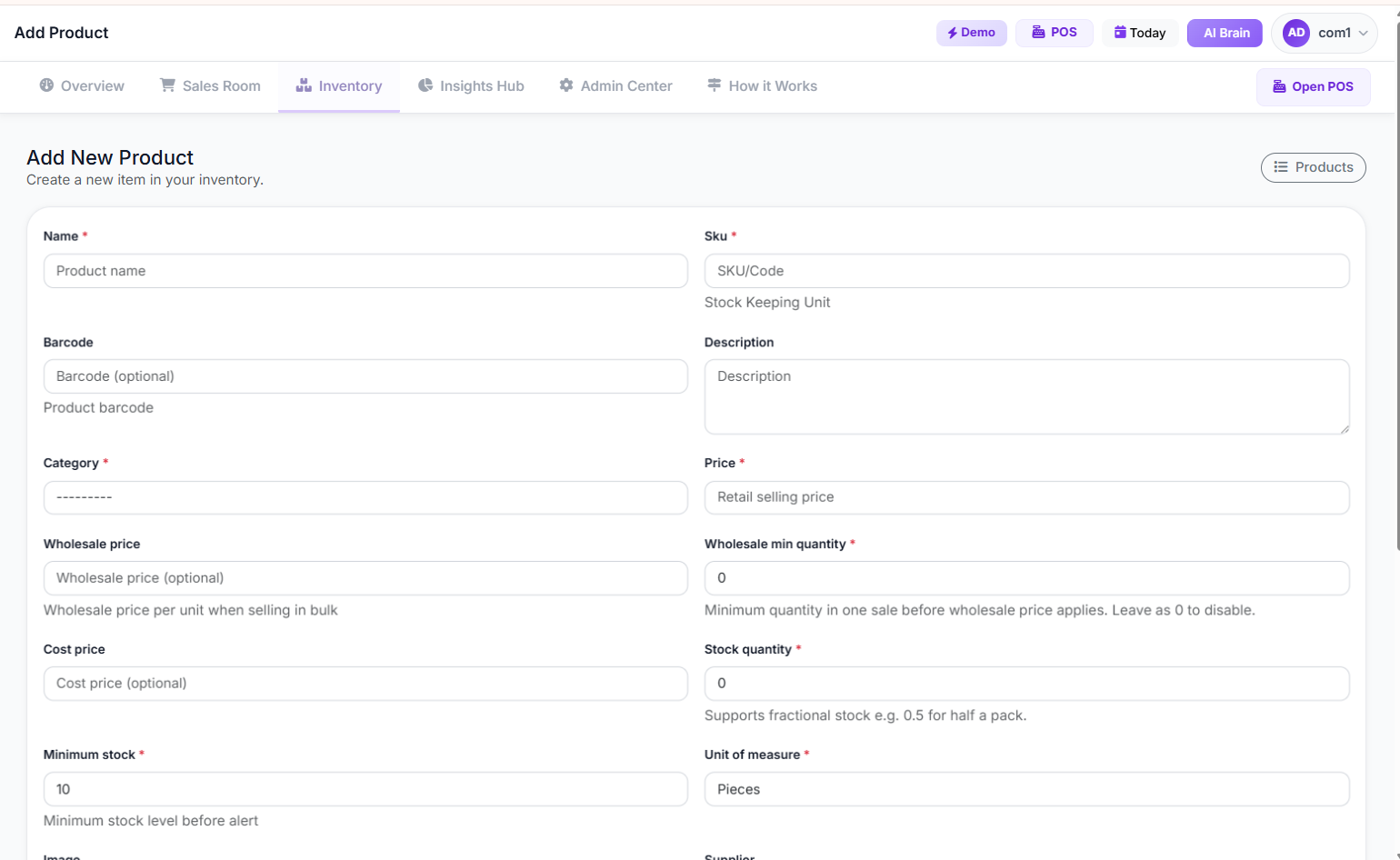 Add/Edit Product Page
- Bulk Import: If you have a large inventory, leverage the bulk import feature. Prepare your product data in an Excel template provided by the POS system. This saves significant time and reduces manual entry errors.
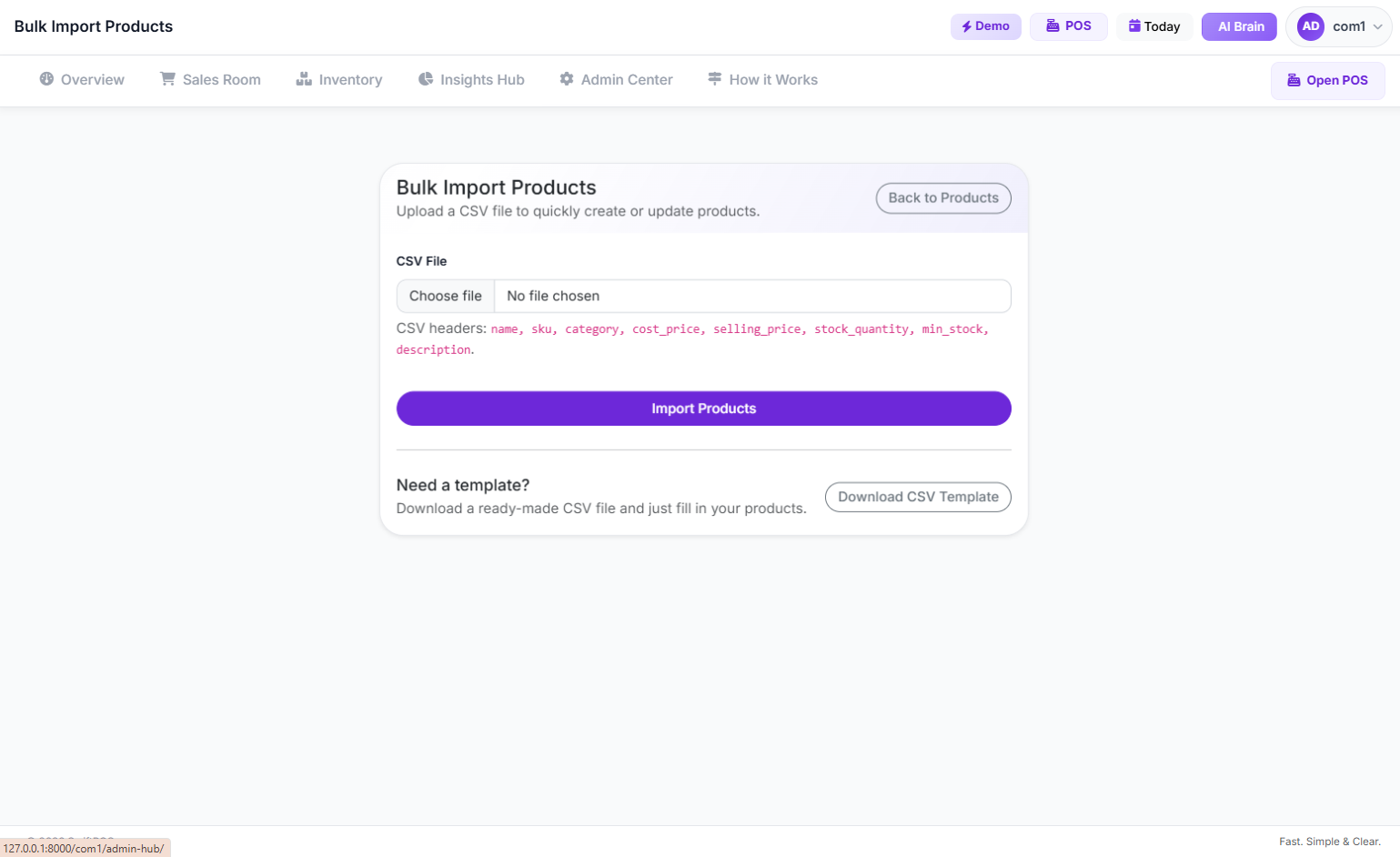 Bulk Products Import Page
- Categorize and Organize: Group your products into logical categories (e.g., "Beverages," "Snacks," "Electronics"). This not only makes sales entry faster but also provides valuable insights into category performance.
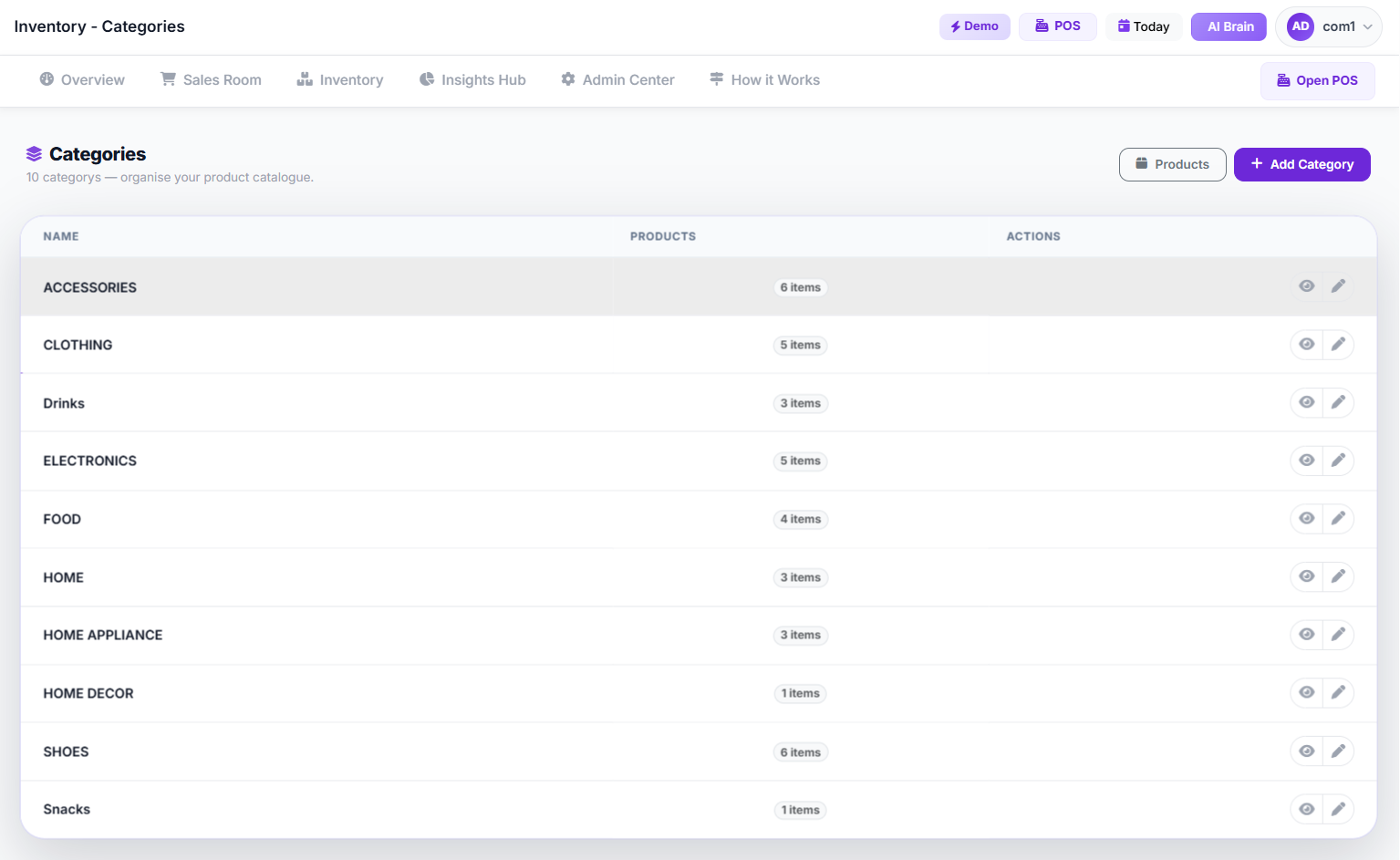 Categories Page
- Generate Barcodes: If your products don't have existing barcodes, use your POS system's barcode generation feature. Print and affix these to your products for quick scanning at checkout.
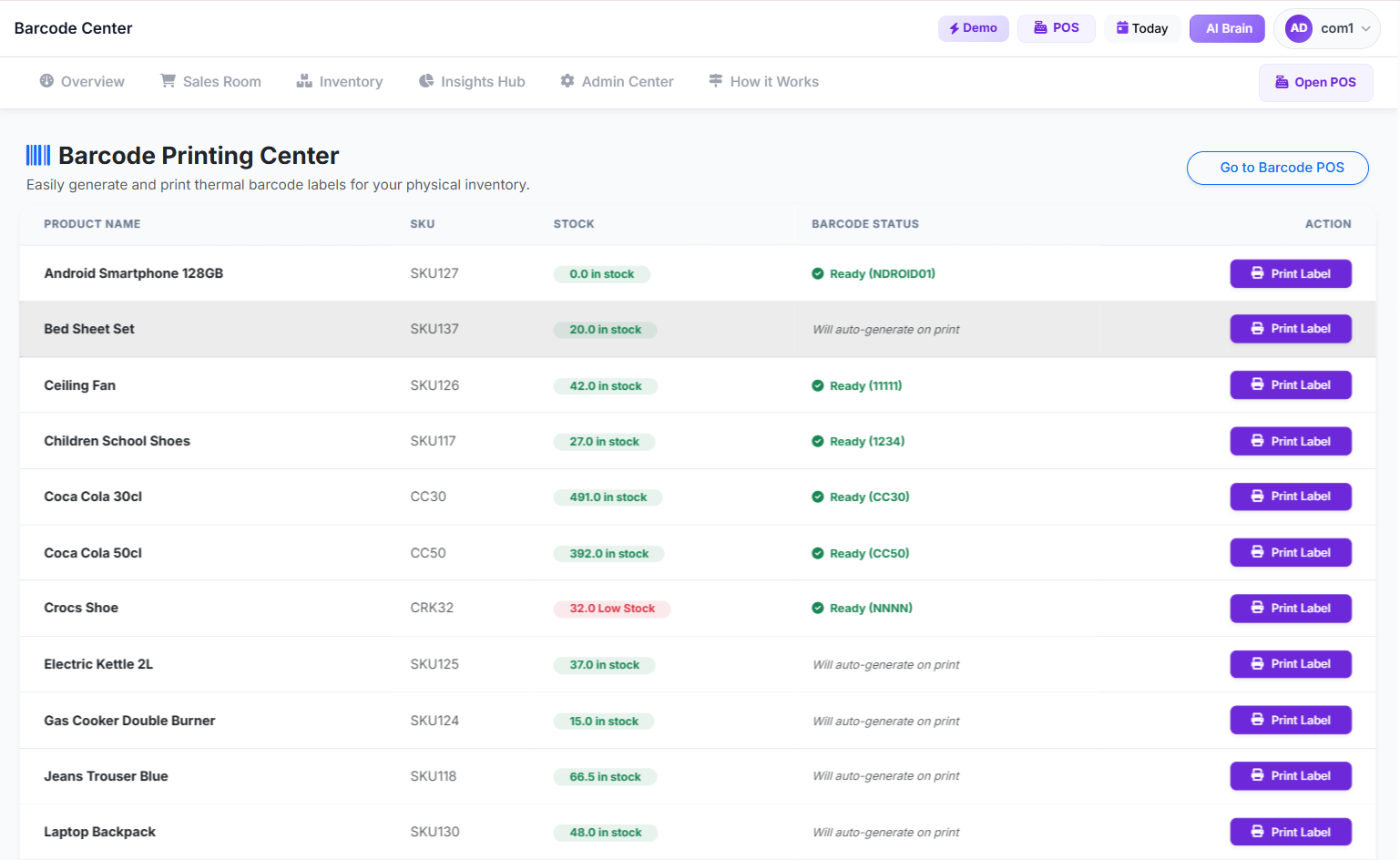 Barcode Printing Center
Step 3: Configure Sales Settings and Payment Methods
Customize your POS system to reflect your sales process and accepted payment types.
- Payment Methods: Set up all payment options you accept, such as cash, bank transfer, POS/ATM card, and mobile money. Ensure your system supports split payments, allowing customers to pay using a combination of methods.
- Tax and Discounts: Configure tax rates applicable in Nigeria (e.g., VAT) and set up any standard discounts or promotional codes you offer.
- Receipt Customization: Personalize your sales receipts with your business logo, contact information, and return policies. This enhances brand professionalism.
Step 4: Train Your Staff
Proper training is crucial for successful adoption and efficient daily sales tracking. Your staff are the primary users of the POS terminal, and their proficiency directly impacts data accuracy.
- Role-Based Training: Train cashiers on using the POS interface for sales transactions, handling returns, and processing different payment types. Managers should learn how to access reports, manage inventory, and handle advanced functions.
- Hands-on Practice: Provide ample opportunity for staff to practice using the system in a non-live environment. This builds confidence and familiarity.
- Troubleshooting Basics: Equip your staff with basic troubleshooting knowledge for common issues, reducing reliance on management for minor problems.
Step 5: Process Daily Sales Transactions
This is where the power of the POS system truly shines. Every sale is automatically recorded, providing real-time data.
- New Sales: Use the POS terminal to scan product barcodes or select items from a categorized list. The system automatically calculates totals, applies taxes, and manages discounts.
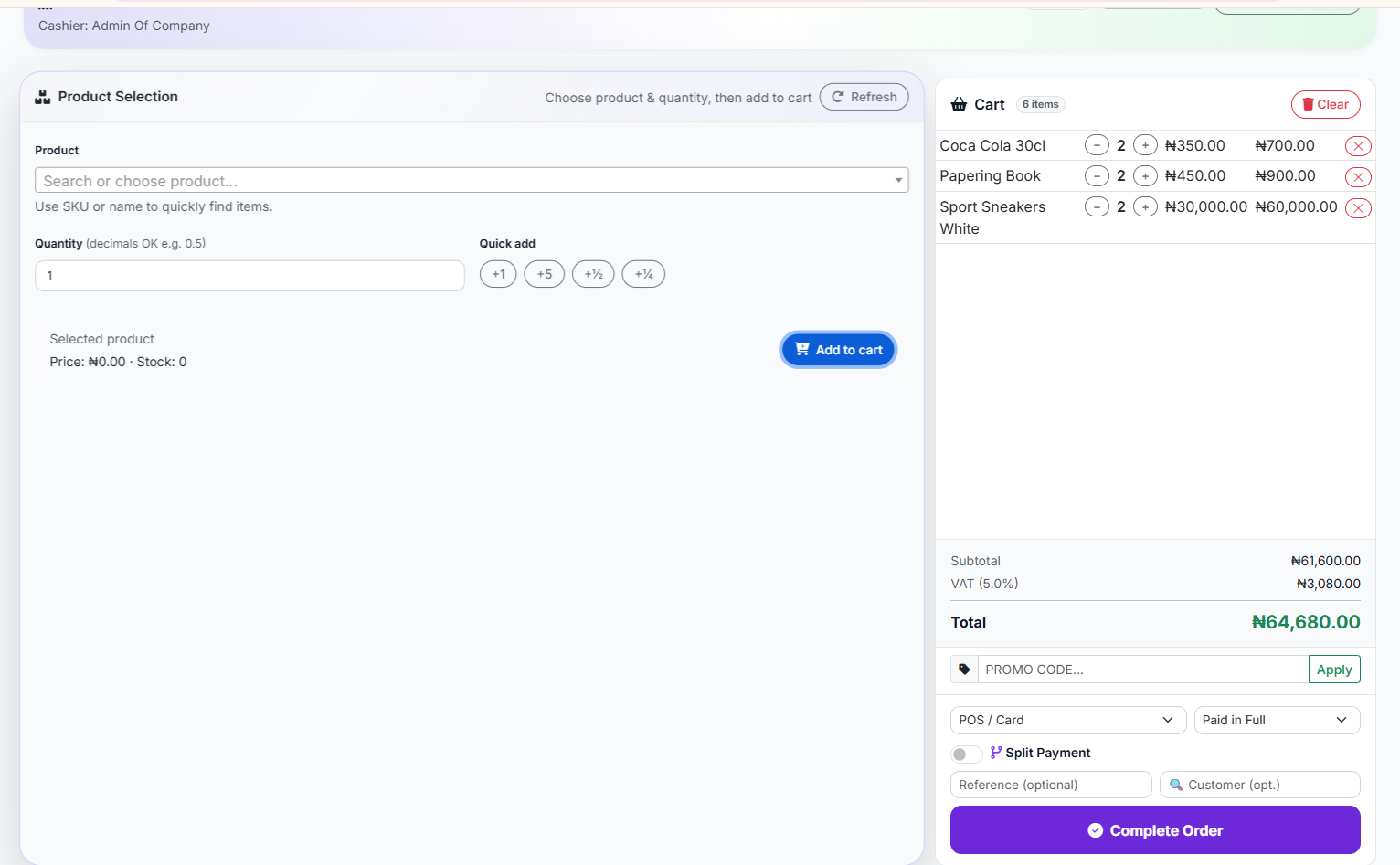 Classic POS Interface (List select)
- Customer Information: Capture customer details (name, phone, email) during a sale. This is vital for customer relationship management and targeted marketing.
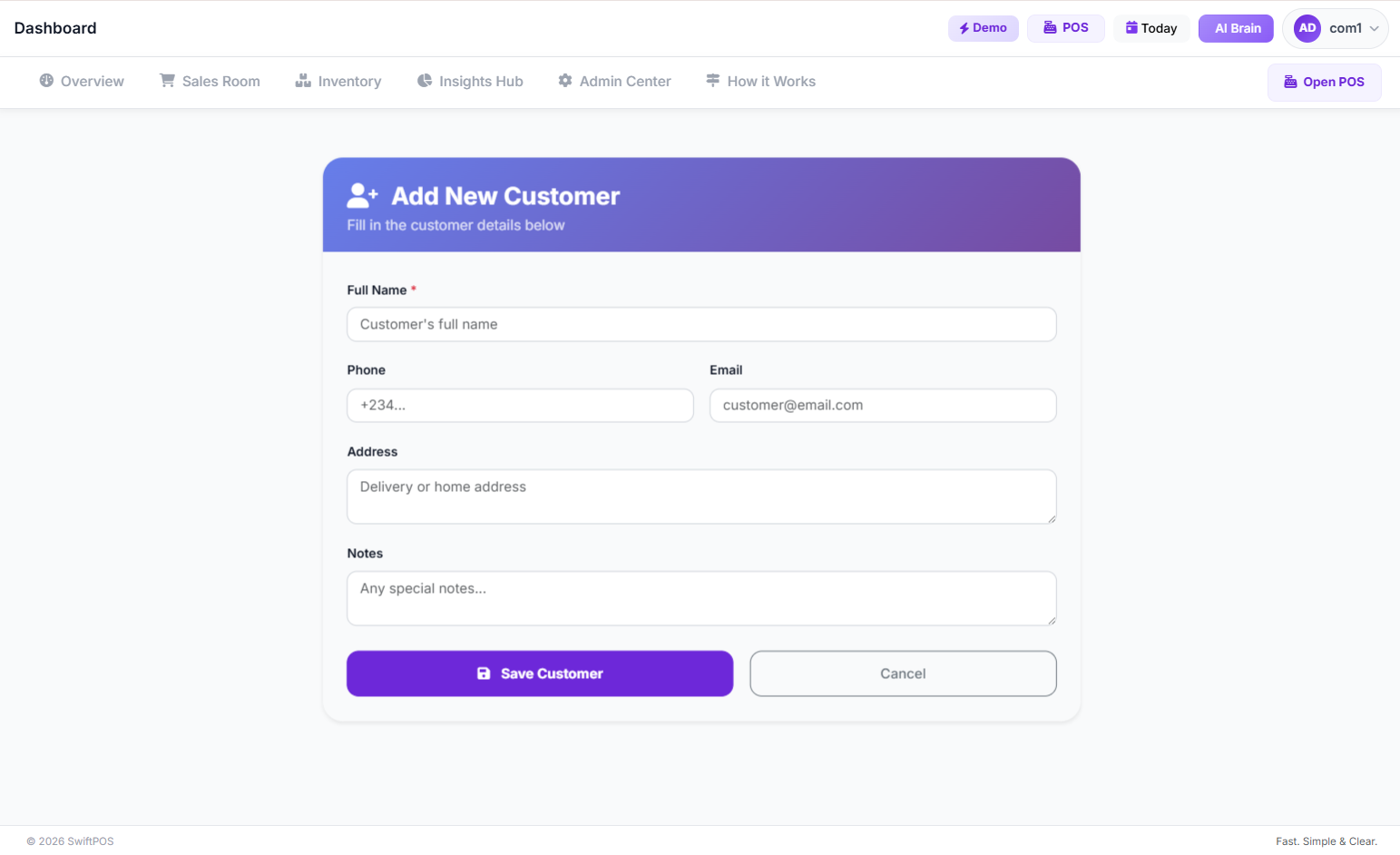 Add Customers Page
- Payment Processing: Process payments efficiently, whether it's cash, card, or mobile money. The system records the payment method for reconciliation.
- Receipt Generation: Instantly print or email digital receipts for customers.
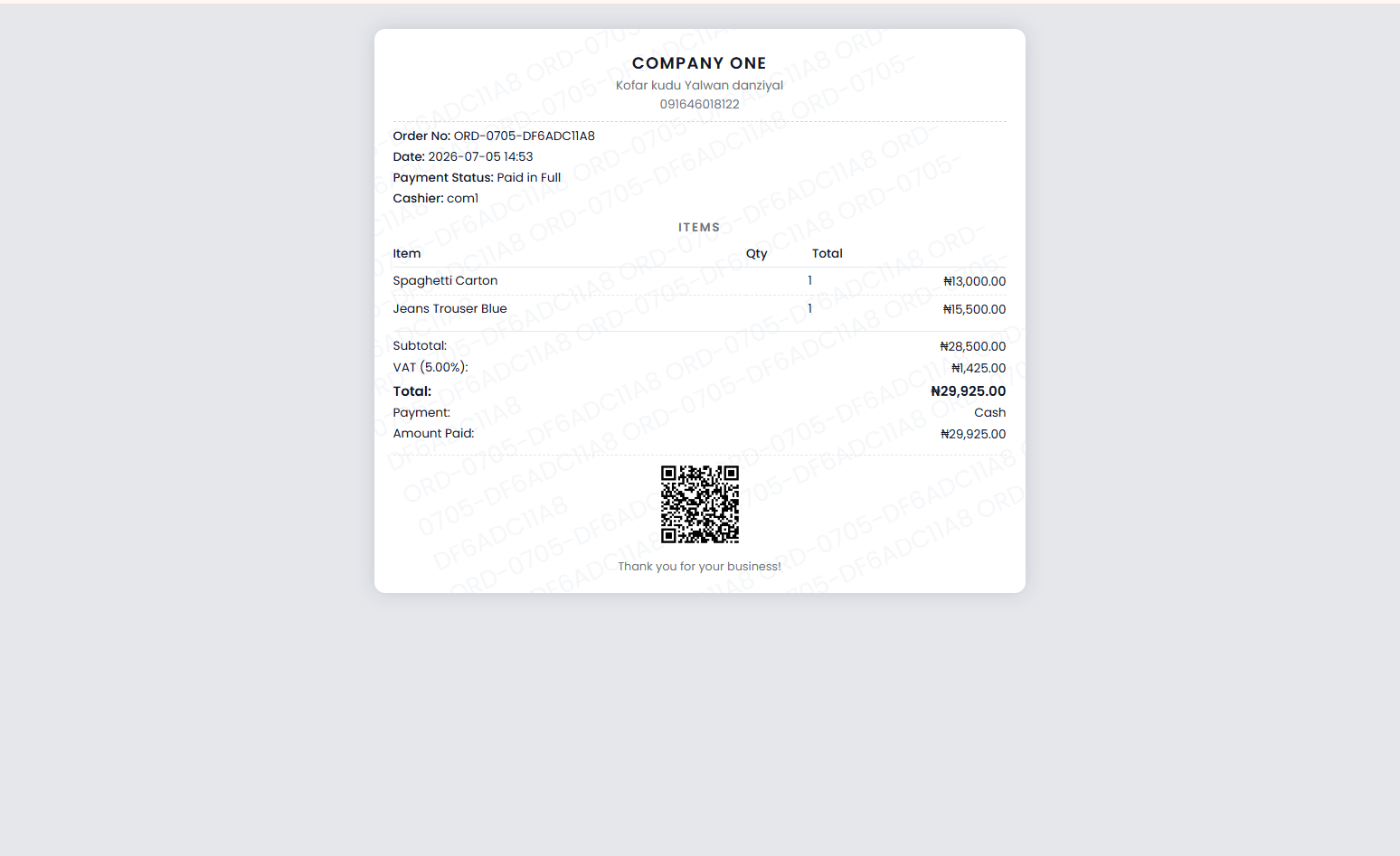 Reciept image sample
Step 6: Monitor and Analyze Daily Sales Data
With every transaction recorded, your POS system becomes a goldmine of sales data. Actively monitor and analyze this data to gain actionable insights.
- Daily Sales Dashboard: Start each day by reviewing your daily sales dashboard. This provides a snapshot of revenue, transaction count, top-selling products, and payment breakdowns.
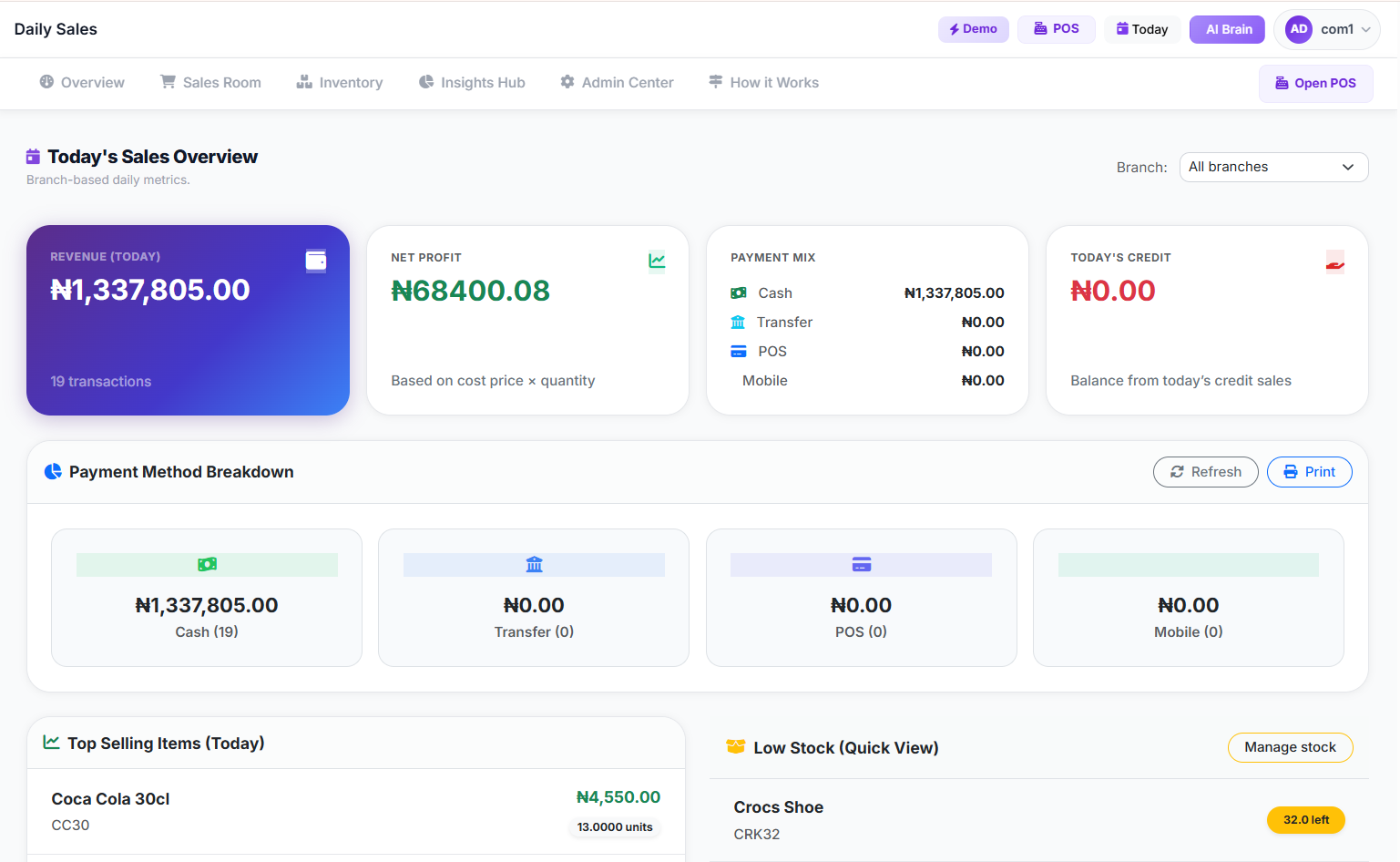 Today's Dashboard
- Transaction History: Regularly review the transaction history to identify trends, resolve discrepancies, or investigate specific sales. Effective sales tracking software allows you to search and filter by date, cashier, or payment type.
 ALL Transaction History Page
- Sales by Item Report: Understand which products are performing best and which are lagging. This report helps in making informed decisions about restocking and promotions.
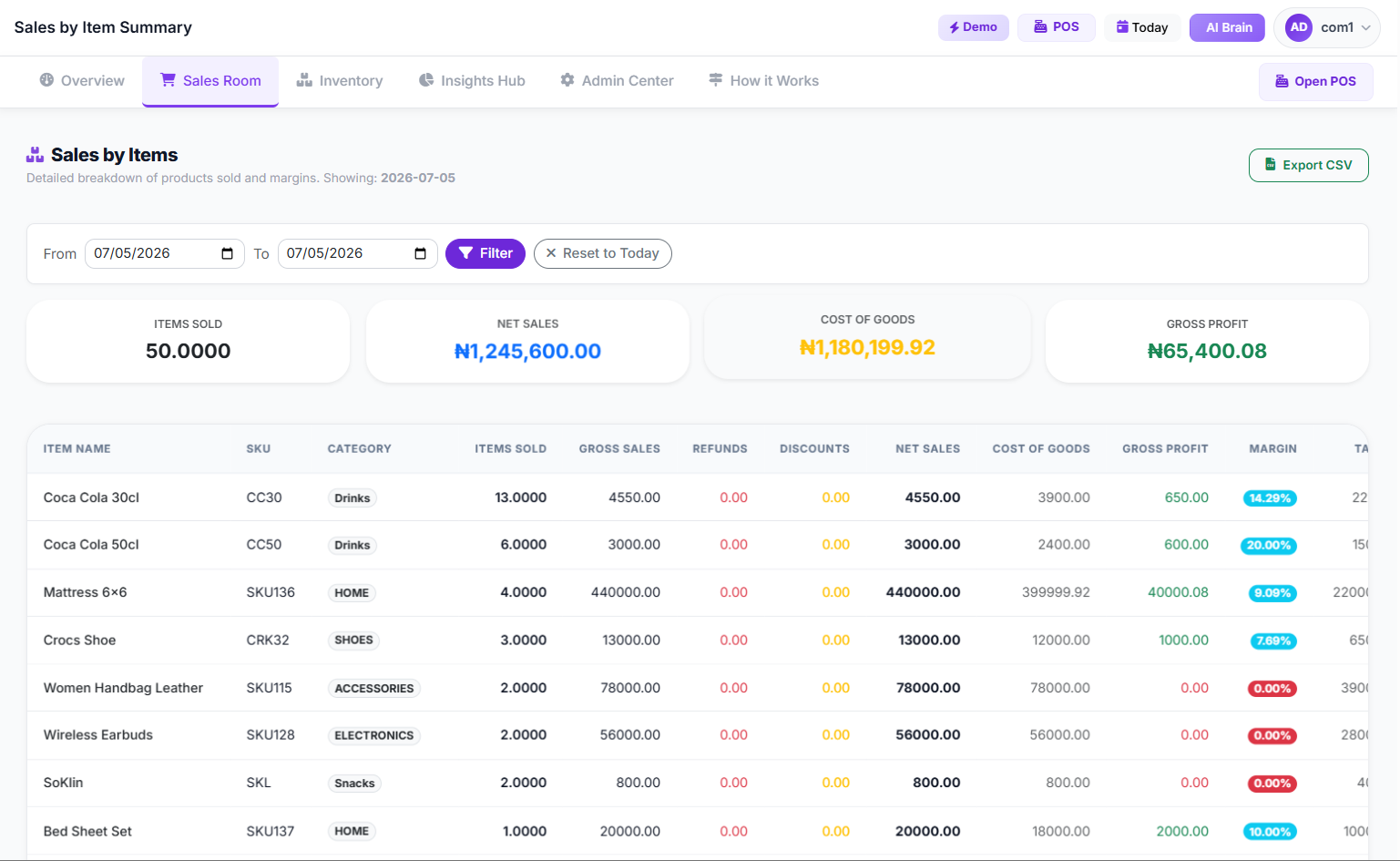 Sales By Item Page
> The difference between struggling and thriving in retail often comes down to how quickly and accurately you can translate raw sales data into actionable business intelligence.
Step 7: Perform End-of-Day Reconciliation
Automated reconciliation is one of the biggest time-savers a POS system offers for daily sales tracking.
- Cash Reconciliation: Compare the physical cash in your drawer with the system's recorded cash sales. Any discrepancies are immediately flagged, making it easier to identify and resolve issues.
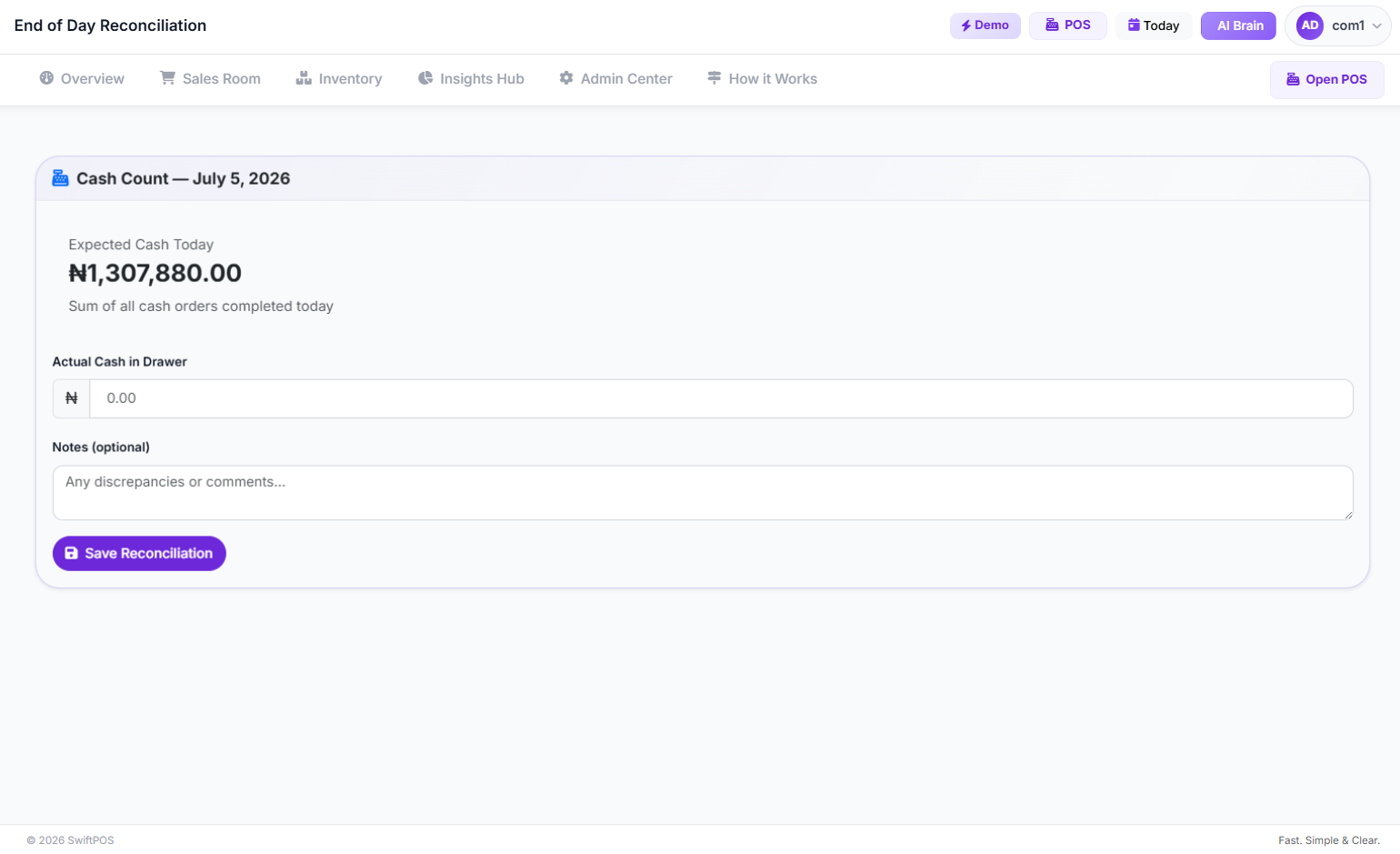 End Of Day reconciliation page
- Payment Summaries: Review aggregated payment summaries for all methods (card, transfer, mobile money) to ensure they match bank statements and payment processor reports.
- Stock Updates: Confirm that inventory levels have been automatically updated with each sale. If manual adjustments were made (e.g., for damaged goods), ensure these are logged.
 Descriptive Alt Text
Common Mistakes to Avoid
Even with the best POS system, certain pitfalls can hinder efficient daily sales tracking.
- Incomplete Product Data: Failing to enter accurate cost prices, minimum stock levels, or consistent categories will skew reports and limit the system's analytical power.
- Neglecting Staff Training: A powerful POS system is only as good as the people using it. Inadequate training leads to errors, slow transactions, and frustrated staff.
- Ignoring Daily Reconciliation: Skipping end-of-day checks can lead to larger, harder-to-trace discrepancies later on, undermining the accuracy benefits of the system.
- Overlooking Customer Data: Not capturing customer information means missing out on opportunities for personalized marketing, loyalty programs, and understanding purchasing patterns.
- Lack of Regular Data Analysis: Simply collecting data isn't enough. Regularly reviewing sales reports, profit and loss statements, and inventory insights is crucial for making informed business decisions.
- Not Utilizing Features: Many businesses only scratch the surface of their POS system's capabilities. Explore advanced features like promo codes, credit sales management, or multi-branch reporting to maximize your investment.
How to Track and Grow After Launch
Once your POS system is fully operational for daily sales tracking, the real work of leveraging that data for growth begins.
- Key Performance Indicators (KPIs): Focus on KPIs like daily revenue, average transaction value, number of transactions, and top-selling products. Track these consistently to identify trends and measure the impact of your strategies.
- Inventory Optimization: Use sales data to inform your purchasing decisions. Identify fast-moving items to ensure they are always in stock and slow-moving items to avoid overstocking. Systems like SwiftPOS NG offer stock forecast features that predict days to stockout and recommend restock quantities, preventing lost sales and reducing carrying costs.
- Customer Insights: Analyze customer purchase history to understand preferences, identify your most loyal customers, and create targeted promotions. The ability to link sales to customer profiles is a game-changer for customer relationship management.
- Staff Performance Monitoring: Utilize staff performance reports to identify high-performing employees and areas where additional training might be needed. This fosters a productive and efficient workforce.
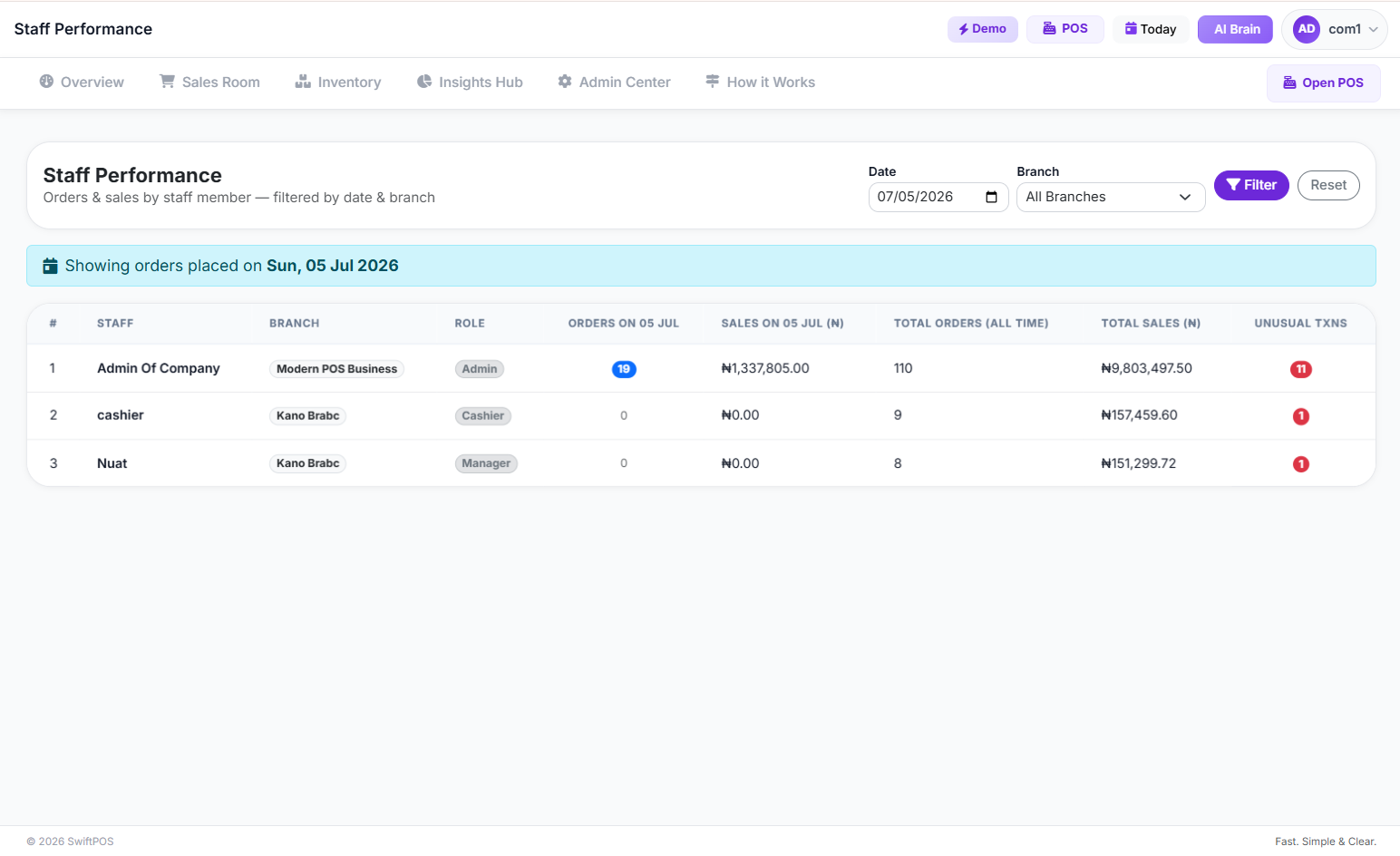 Staff Performance Page
- Promotional Effectiveness: Track the sales generated by specific promotions or discount codes. This data helps you understand what marketing efforts yield the best returns. You can manage and track these using features like the
.
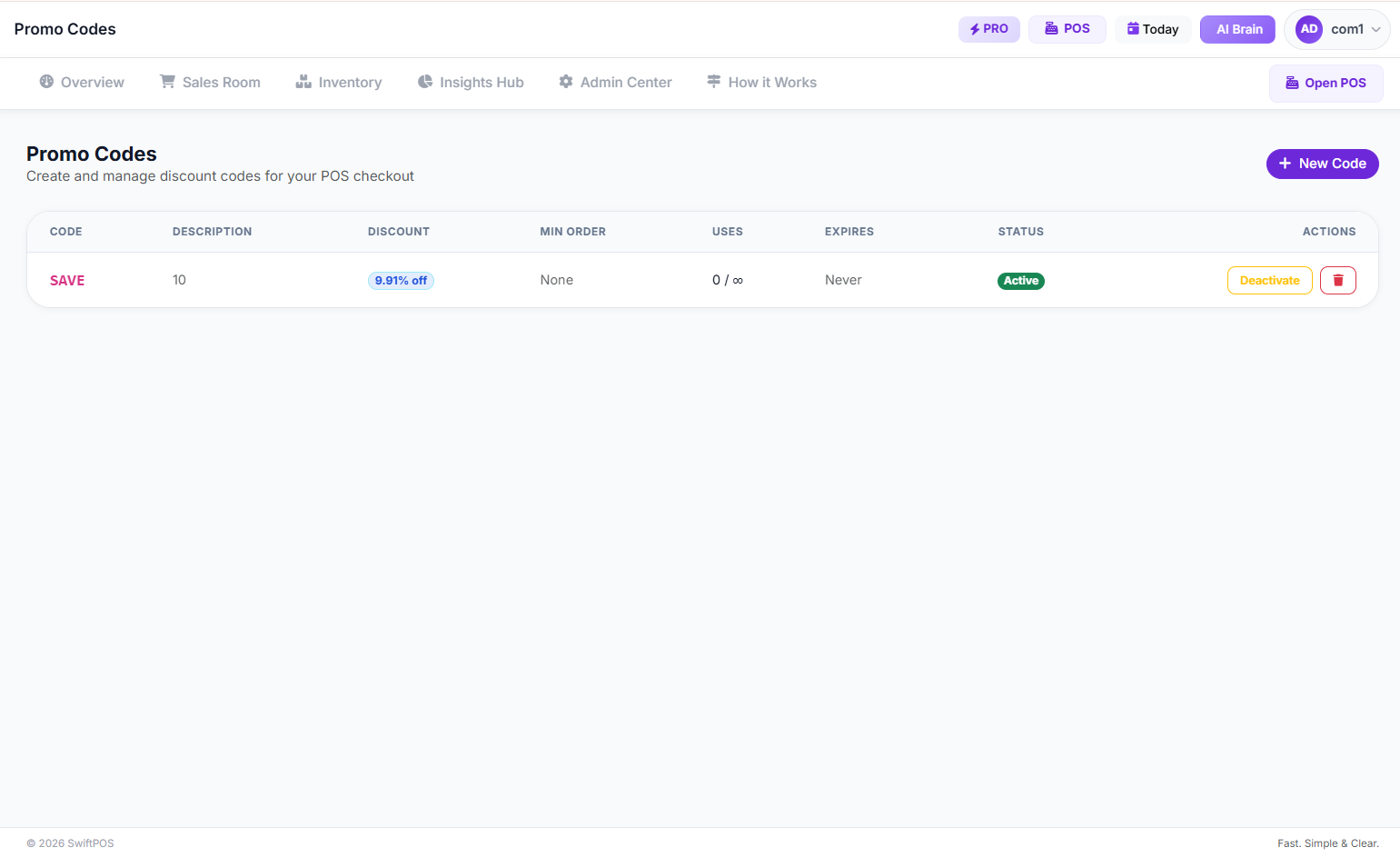 manage promo codes page
 - AI-Powered Insights: Modern POS systems, like SwiftPOS NG, often come equipped with AI-driven analytics. These tools can automatically highlight important trends, flag anomalies, and provide actionable recommendations based on your sales data. This is invaluable for identifying opportunities you might otherwise miss.
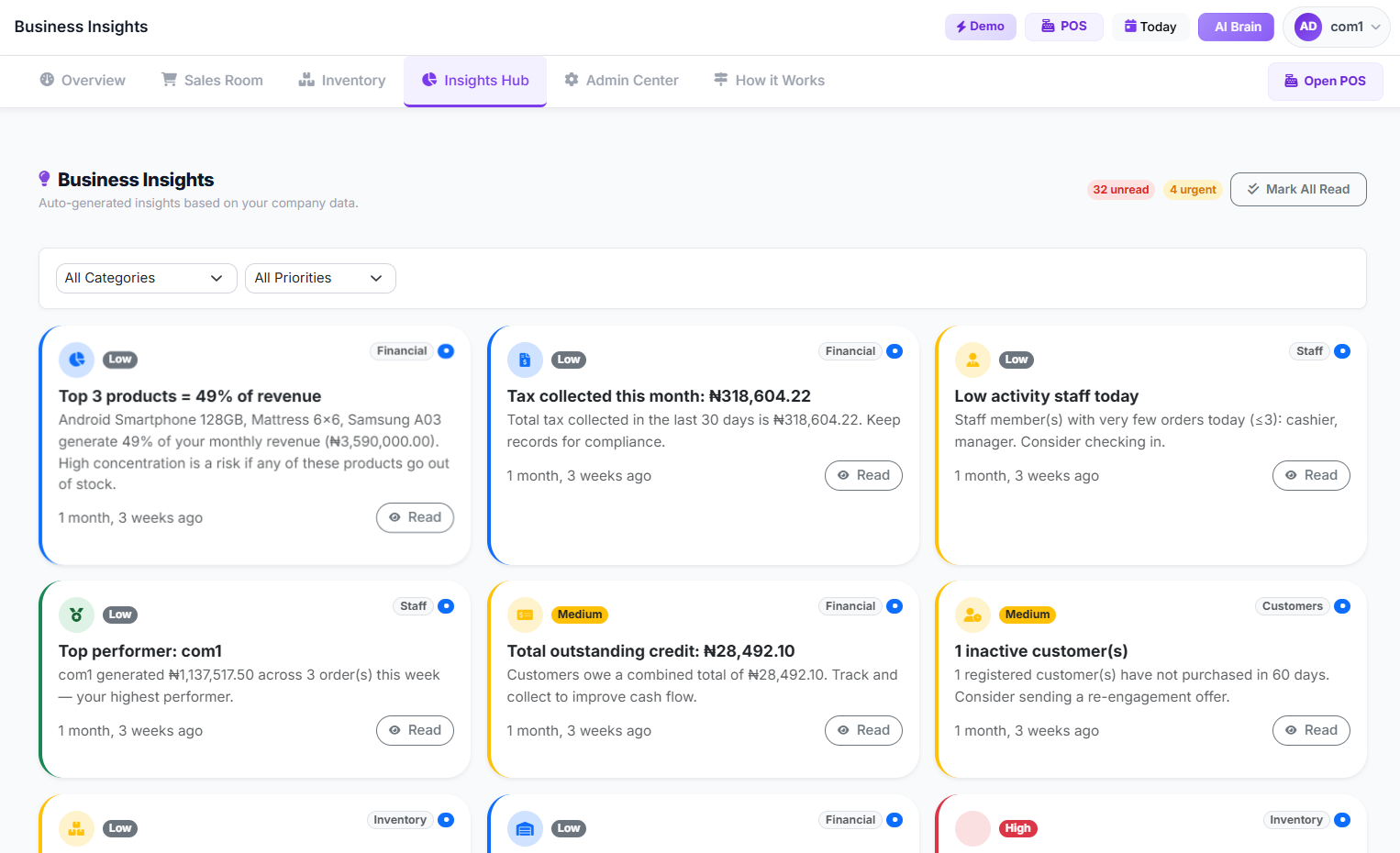 Business Insights Page
- Multi-Branch Management: If you operate multiple outlets, leverage your POS system's multi-branch capabilities to compare performance across locations, manage centralized inventory, and ensure consistent pricing.
Frequently Asked Questions
Q1: How quickly can I see the benefits of using a POS system for daily sales tracking?
Many businesses report noticeable improvements in efficiency and data accuracy within the first few weeks of consistent use. The immediate benefits include faster checkouts, real-time inventory updates, and instant access to daily sales reports. Strategic benefits, like improved inventory turnover and more targeted marketing, typically become evident within a few months.
Q2: Is a POS system too expensive for my small business in Nigeria?
The cost of POS systems has become much more accessible, with many offering cloud-based, subscription models. While there's an initial investment, the long-term benefits of reduced errors, improved efficiency, better inventory management, and enhanced decision-making often far outweigh the costs. Many providers offer various subscription plans to suit different business sizes and budgets.
Q3: What if my internet connection is unreliable? Can I still use a POS system?
Many modern POS systems offer an "offline mode" functionality. This allows you to continue processing sales even without an internet connection. Transactions are stored locally and automatically synced to the cloud once connectivity is restored. This ensures uninterrupted service, which is particularly useful in areas with inconsistent network access.
Q4: How secure is my sales data with a cloud-based POS system?
Reputable cloud-based POS providers invest heavily in data security. This includes encryption, regular backups, secure servers, and compliance with data protection standards. Always choose a provider with a strong track record and clear security policies to ensure your business and customer data are protected. Features like
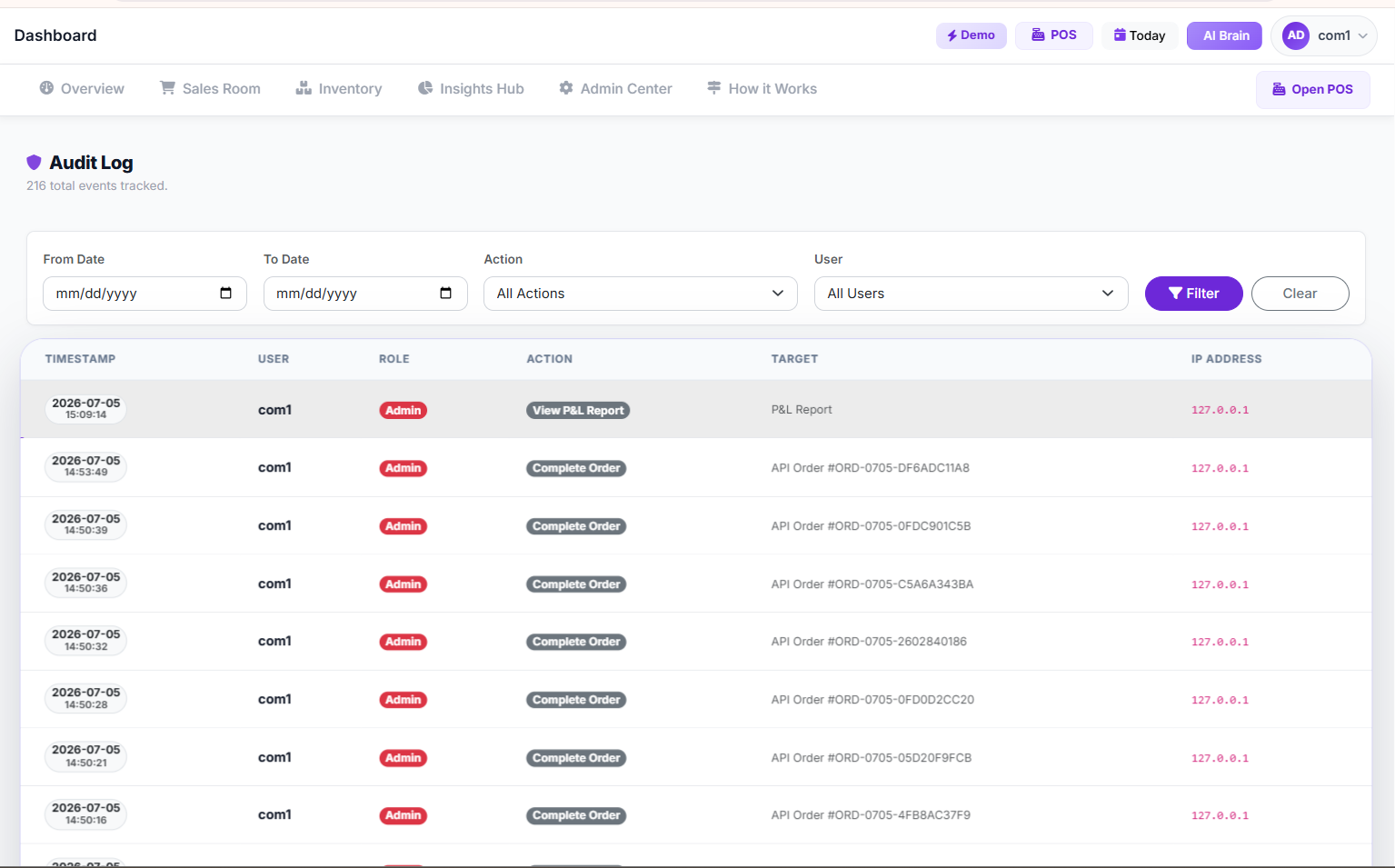 audit logs
also provide a transparent record of all user actions within the system.
Q5: Can a POS system help me manage multiple branches?
Absolutely. A key advantage of many advanced POS systems is their multi-branch management capabilities. You can oversee inventory, sales, and staff performance for all your locations from a single dashboard. This streamlines operations, ensures consistency, and provides a holistic view of your entire business empire. You can explore the features available for multi-branch management to see how it can benefit your business.
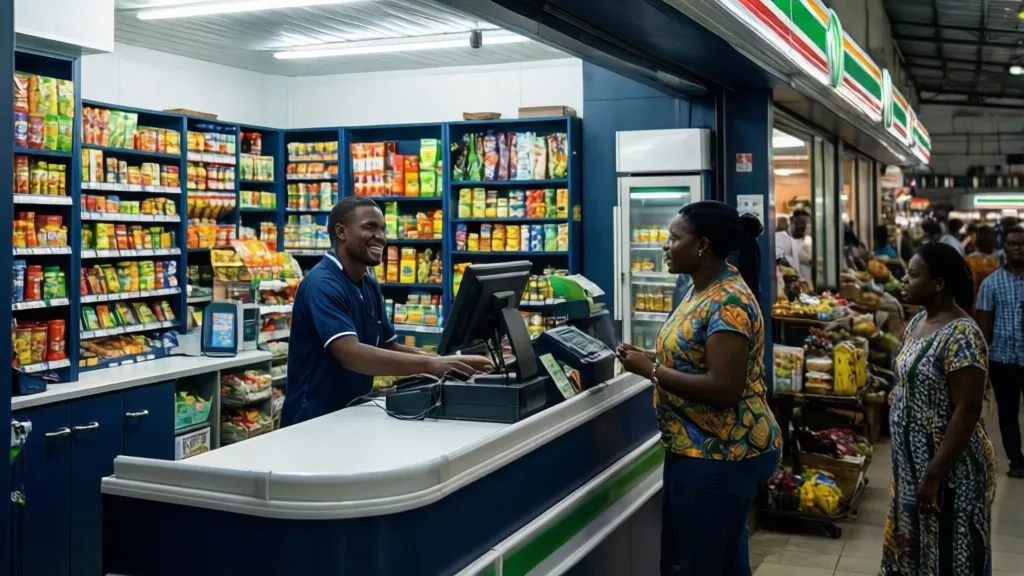 Descriptive Alt Text
Ready to Streamline Your Daily Sales Tracking?
If you're ready to move beyond manual record-keeping and embrace the efficiency and insights a modern POS system offers, explore your options today. Discover how seamless daily sales tracking can transform your business operations and propel your growth. Visit the main SwiftPOS app for companies at app.swiftpos.ng to get started, or learn more about all our comprehensive features.
For further inquiries or assistance, you can reach out via WhatsApp at 2349164601810.

Restaurant Startup Cost in Nigeria: Your Complete Guide
Oct 16, 2026
How Much Profit Do Restaurants Make in Nigeria? (2024 …
Oct 16, 2026
How to Manage Multiple Cashiers in a Single Store: A C…
Oct 16, 2026