How to Set Staff Access Permissions in Retail Software in Nigeria (2026 Guide)
SwiftPOS Team
Published July 25, 2026
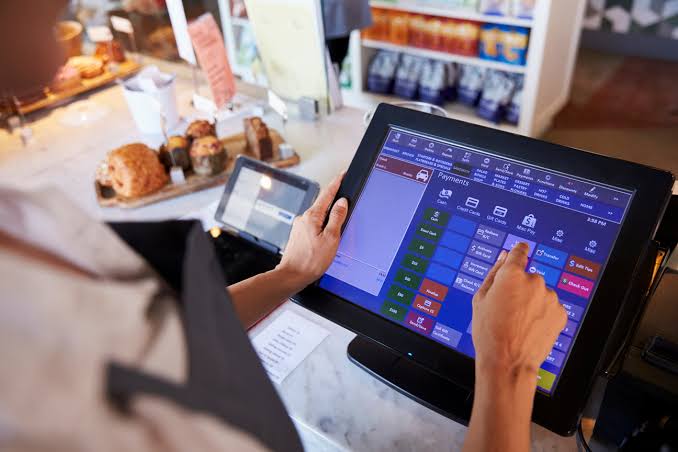
It's a Saturday afternoon in a busy provision store in Ikeja. The owner steps out for thirty minutes to sort a supplier delivery. When she comes back, the till is short by a few thousand naira, a "returned" item was never actually returned, and one of her staff quietly changed a product's price at the counter. None of this shows up anywhere — because every staff member on her old system had the exact same access as she did.
This is one of the most common (and most expensive) mistakes Nigerian shop owners make: giving every staff member full admin access to their point-of-sale system. If you've ever searched for how to set staff access permissions in retail software in Nigeria, you already sense the problem. This guide walks you through exactly why it matters, how to structure permissions properly, and how a system like SwiftPOS makes it simple — even if you're not a "tech person."
By the end of this article, you'll know how to divide staff access by role, protect your sensitive reports, and stop small leaks before they become big losses. Start your free SwiftPOS trial →
Why Staff Access Permissions Is Costing Nigerian Shops Money
Most small and mid-sized retail businesses in Nigeria start with one or two people running the shop, so nobody thinks about "access levels" — everyone just uses the same login. But as soon as a shop grows to three, five, or fifteen staff members, that single shared login (or identical access for everyone) becomes a silent revenue leak.
Consider a simple example. If a shop sells an item that costs ₦500 for ₦750, that's ₦250 in profit per unit. Now imagine a cashier can quietly discount that same item to ₦600 "for a friend" three or four times a week, with no record showing who applied the discount. Over a month, that's dozens of transactions where nearly half the profit margin quietly disappears — and because the system doesn't separate who did what, the owner has no way to trace it back to a specific staff member.
The risks compound in a typical Nigerian retail setting because of a few local realities:
- Shared devices: Many shops use one or two POS terminals for the whole team, so without individual logins, actions get blended together.
- Manual records as backup: When the "system" is really a notebook, there's no audit trail at all — permissions and paperwork blur.
- High staff turnover: Shops that hire seasonal or part-time staff need a fast way to grant and revoke access without exposing sensitive reports.
- Multi-branch confusion: Owners running more than one location often can't tell which branch a stock adjustment or price change came from.
None of this means your staff are dishonest — most aren't. But a system without role-based permissions makes it nearly impossible to tell the difference between an honest mistake and a deliberate one, and that uncertainty itself is expensive.
How to Handle Staff Access Permissions Effectively
Fixing this doesn't require a complicated IT setup. It just requires structuring access around what each person actually needs to do their job — a principle sometimes called "least privilege." Here's a practical, step-by-step approach any Nigerian retail business can apply.
1. Map out your roles before you touch any software
Before setting anything up, list the actual roles in your shop: cashier, sales attendant, store manager, inventory officer, accountant, owner/admin. A ten-person supermarket in Abuja and a three-person phone accessories shop in Onitsha don't need the same structure, but both need at least two tiers: people who process sales, and people who see the money.
2. Give cashiers sales access only
Front-line staff should be able to ring up sales, apply approved promotions, and print receipts — nothing more. They shouldn't be able to see full profit margins, edit product costs, or delete transaction history. If you imagine running a provision store in Lagos with three attendants, this single change alone removes most of the opportunity for price manipulation at the till.
3. Restrict inventory editing to trusted staff
Stock adjustments, product cost changes, and bulk imports should be limited to a store manager or inventory officer — not every attendant. This prevents "ghost" stock adjustments that quietly explain away missing inventory.
4. Lock financial reports behind admin access
Profit and loss reports, expense records, and full sales history should be visible only to owners, managers, or an accountant you trust. This is one of the most overlooked steps — many shop owners restrict the till but leave sensitive reports wide open.
5. Review and adjust access regularly
Roles change. A cashier gets promoted, a seasonal staff member leaves, a branch gets a new supervisor. Set a reminder — monthly is reasonable — to review who has access to what, and revoke access immediately when someone leaves the business.
How SwiftPOS Makes Staff Access Permissions Effortless
Manually enforcing all of this with a notebook or a shared login is nearly impossible. This is exactly the gap SwiftPOS was built to close for Nigerian retail businesses.
With SwiftPOS, every staff member gets their own login, and you assign each person a role with pre-defined access — cashier, manager, or admin — instead of guessing what to lock down. Each role only sees the screens and reports relevant to their job.
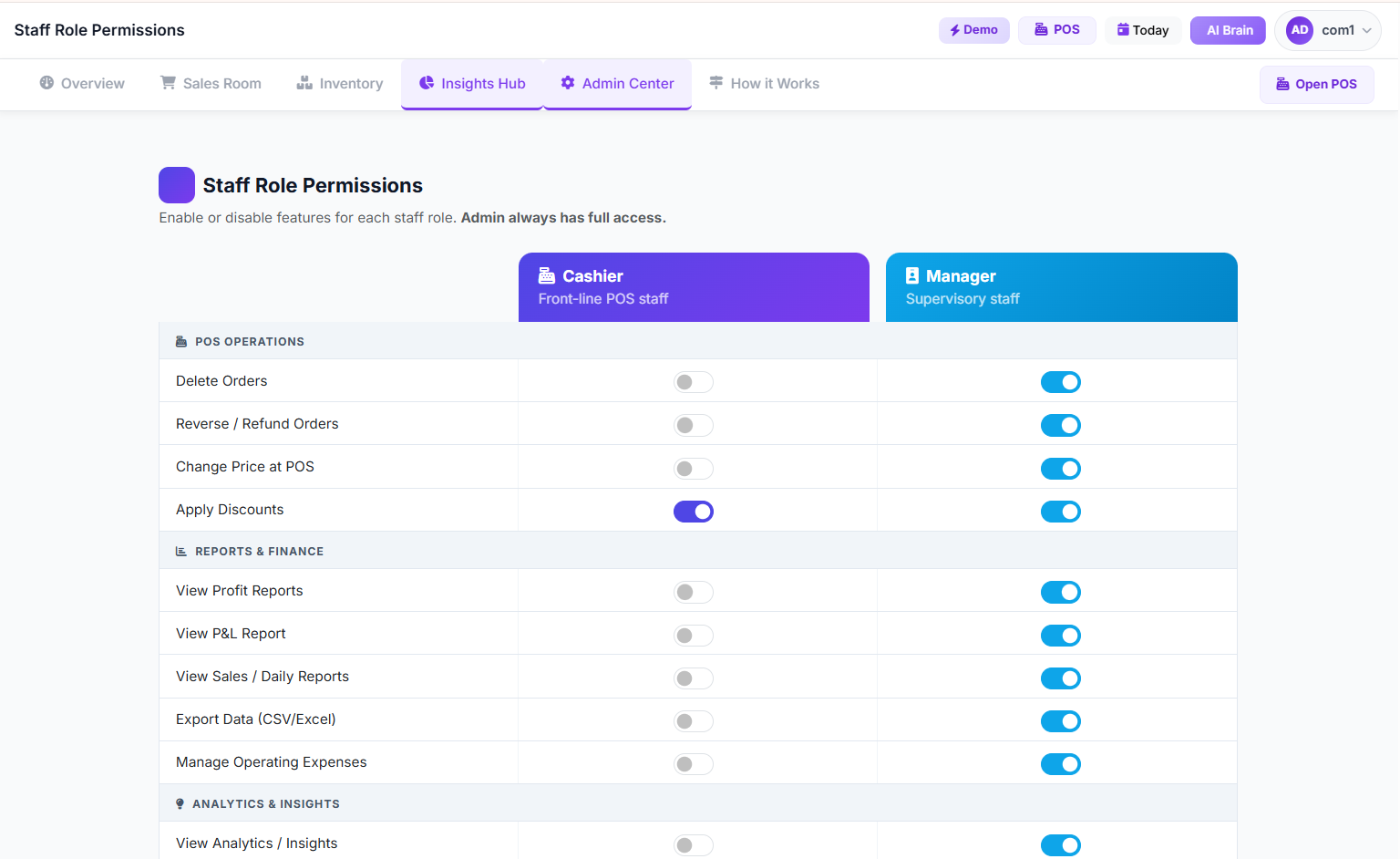
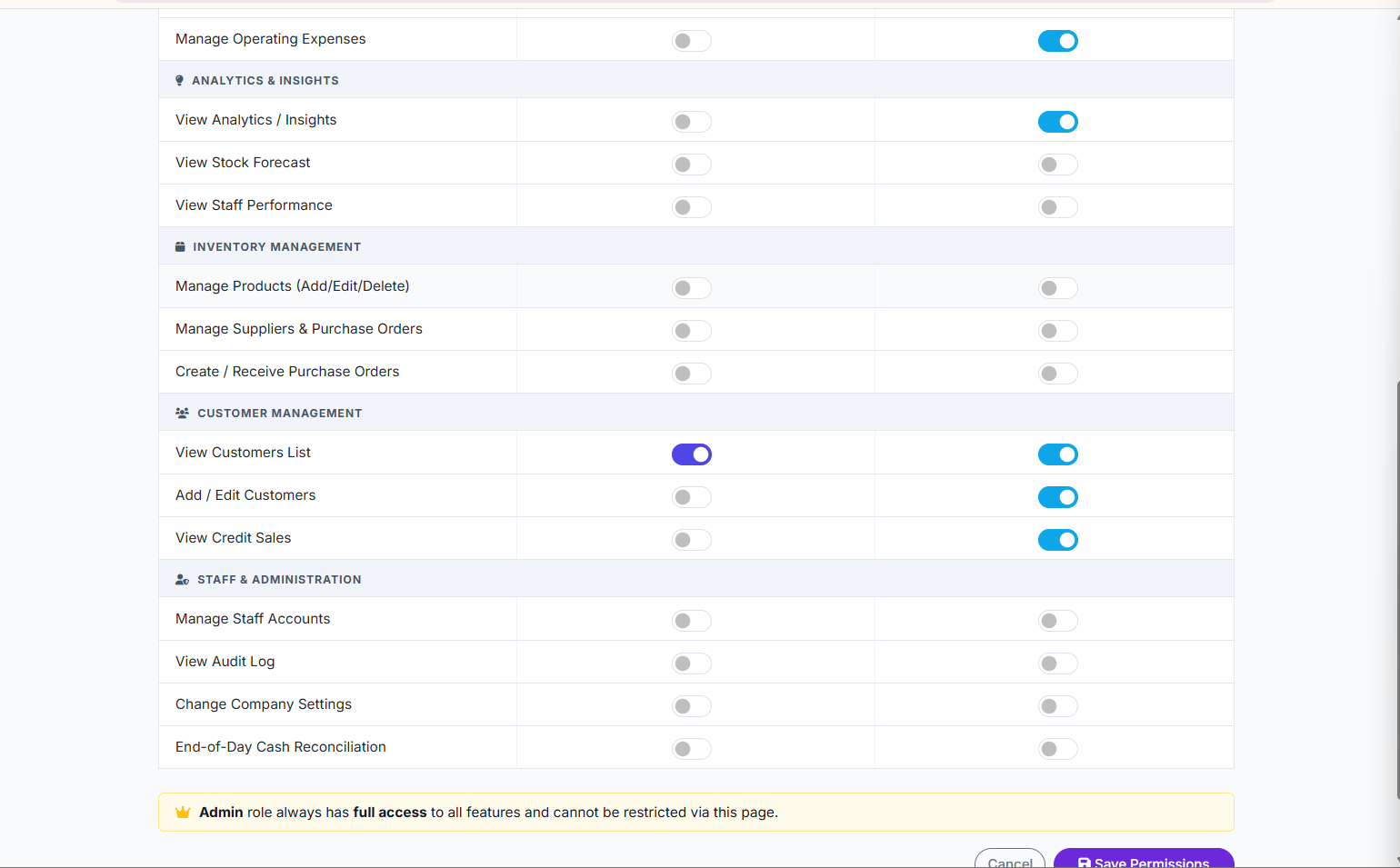
Need finer control than the default roles? SwiftPOS lets you fine-tune permissions further — deciding, for example, whether a manager can issue refunds, apply discounts above a certain percentage, or view full P&L reports.
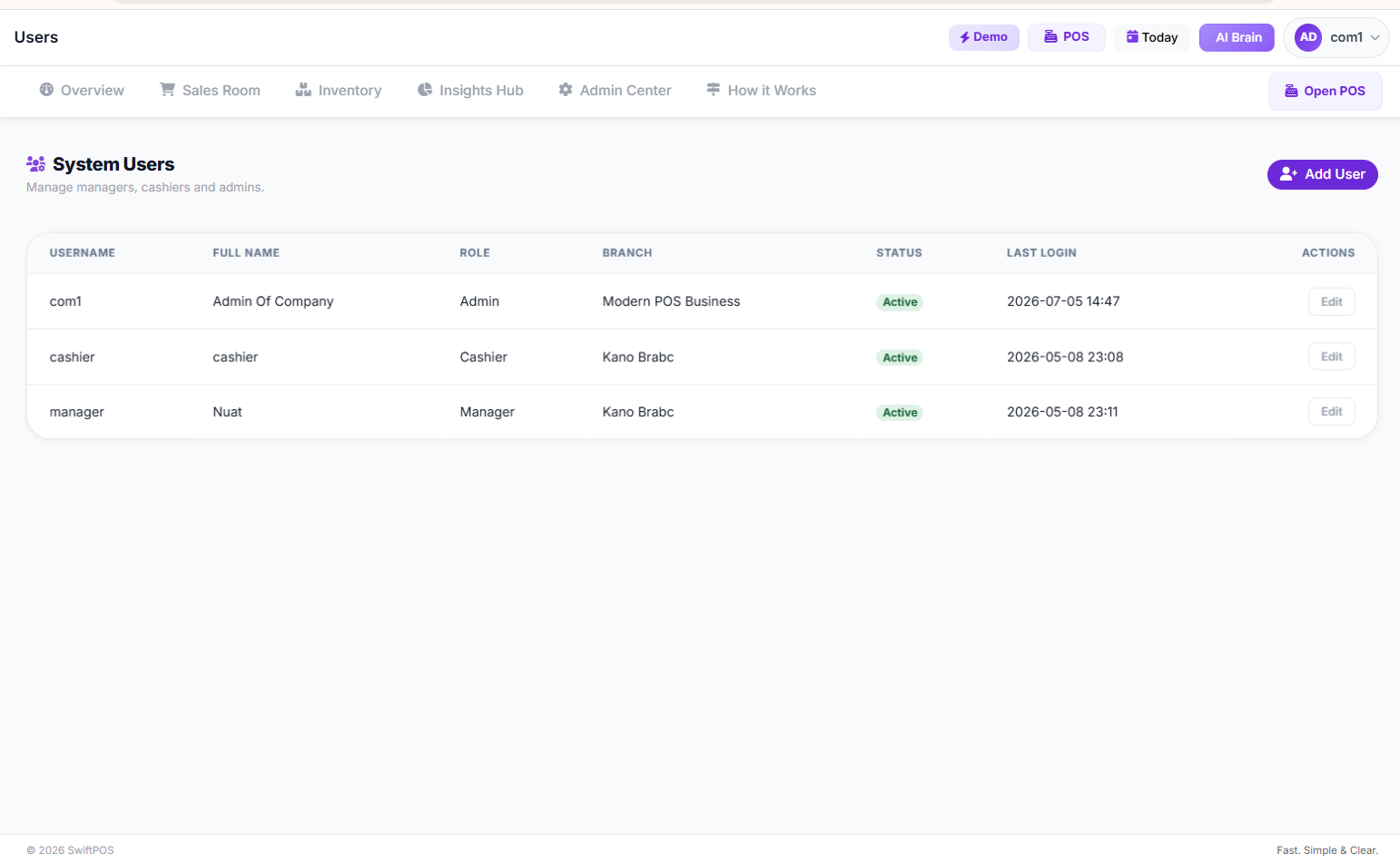
Every staff member is added and managed from a single Staff Users page, so onboarding a new cashier or removing a former employee's access takes seconds, not a full afternoon of reconfiguring a shared device.
Because every action is tied to a specific login, SwiftPOS's audit log shows exactly who processed a sale, adjusted stock, or applied a discount — and the suspicious activity monitor flags unusual patterns, like repeated discounts from the same account, automatically.
This isn't a feature you'll need to hunt for either — it lives inside the Admin Center alongside branch management, system settings, and promo codes, so your entire team structure is controlled from one place. If you're managing more than one location, this becomes even more valuable, since you can assign branch-specific access and see performance broken down by staff and branch without any guesswork.
Try SwiftPOS free for 14 days → https://app.swiftpos.ng
Pro Tips for Nigerian Business Owners
- Don't share admin logins, even with family: Even a trusted family member managing the shop should have their own login, so their actions are distinguishable from yours.
- Pair permissions with the audit log, not instead of it: Role restrictions reduce risk, but reviewing your audit log weekly is what actually catches problems early.
- Use tighter permissions during staff transitions: When onboarding new hires or offboarding someone leaving, temporarily tighten access until you're confident in the handover.
Frequently Asked Questions
What is a good retail profit margin in Nigeria?
It varies widely by category, but many general retail and provision store businesses target a gross margin somewhere between 20% and 40%, depending on product type, supplier pricing, and local competition.
How do wholesalers calculate prices?
Wholesalers typically start from their cost price, add a markup that reflects volume discounts they extend to retailers, and adjust based on demand, transport costs, and competitor pricing in their market.
Does SwiftPOS help with staff access permissions?
Yes. SwiftPOS lets you assign role-based access (cashier, manager, admin), fine-tune specific permissions, and track every action through an audit log, so you always know who did what.
Can I manage staff permissions across multiple branches?
Yes. SwiftPOS's multi-branch support lets you assign staff to specific branches and control what they can see or edit at each location from one central admin account.
Is SwiftPOS affordable for small shops in Nigeria?
Yes. SwiftPOS plans start at ₦3,000 per month for the Starter plan, with Standard at ₦6,000 and Pro at ₦12,000 per month for growing multi-staff, multi-branch businesses. You also get one month free when you subscribe annually. See the full breakdown on the SwiftPOS pricing page.
Key Takeaway
Staff access permissions aren't just an IT detail — they're one of the simplest, highest-impact controls a Nigerian retail business can put in place. Mapping roles, restricting sensitive data, and reviewing access regularly can close the gap where small daily losses quietly add up. If you're also dealing with related issues on the shop floor, our guides on how to stop staff theft in your retail store and how to monitor staff sales in your shop go deeper on the operational side.
Ready to manage your shop more efficiently?
SwiftPOS helps businesses track sales, inventory, staff activities, and customer credit in one system.
Check the pricing plans at swiftpos.ng/pricing or message SwiftPOS on WhatsApp at +2349164601810 to get started.
Remember: you get 1 month free when you subscribe annually on any plan.